
Views: 222 Author: Tina Publish Time: 2025-12-26 Origin: Site


Content Menu
● Step 1: Check assembly and refill the pool
● Step 2: Prime the pump safely
● Step 3: Backwash the new sand thoroughly
● Step 4: Rinse to settle the sand bed
● Step 5: Switch to Filter mode and check pressure
● Step 6: Run the filter long enough the first day
● Step 7: Test and balance water chemistry
● Step 8: Inspect circulation and returns
● Step 9: Watch for early warning signs
● Step 10: Set up an ongoing maintenance schedule
● FAQs: What to Do After Changing Sand in Pool Filter
>> Q1: How long should I backwash after changing the sand?
>> Q2: Do I always need to use the Rinse setting after backwashing new sand?
>> Q3: Is it normal for the water to be slightly cloudy right after changing the sand?
>> Q4: What does it mean if sand is returning to the pool from the jets?
>> Q5: When should I backwash again after the first startup?
>> Q6: How often will I need to change the sand again?
After changing the sand in a pool filter, several critical steps are needed to protect your system, clear out sand dust, and get water sparkling again. Skipping these can lead to cloudy water, wasted chemicals, and even damage to the filter or pump.[1][2][3]
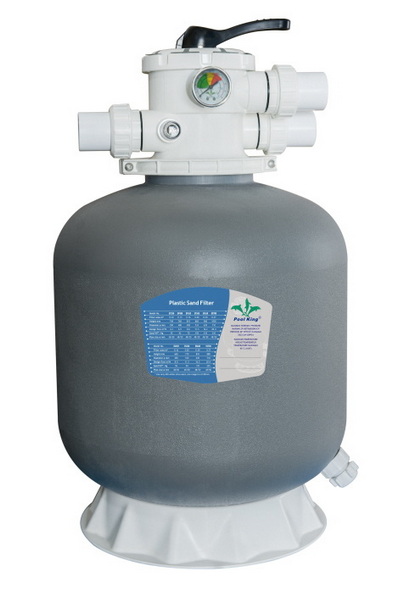
Before starting the system, make sure everything is put back correctly and the pool has enough water for priming.[4]
- Confirm the multiport valve or top-mount head is seated and clamped properly, and all unions and hoses are tight with no visible gaps.[4]
- Ensure the standpipe/laterals were reinstalled correctly and drain plug is closed to prevent leaks once the pump starts.[4]
- Top up the pool to the proper operating level (usually halfway up the skimmer opening) so the pump does not suck air.[5]
A newly serviced system can contain air, so proper priming avoids cavitation and dry running.[5]
- Open the pump lid, fill the pump basket with pool water, and re‑seal the lid to help the system catch prime quickly.[5]
- Open any valves on suction/return lines so water can flow freely once the pump starts.[5]
- Turn on power briefly and watch for a strong, steady water flow in the pump basket; if it does not prime within a minute, shut it off and re‑prime.[5]
Fresh sand contains dust and fine particles that must be flushed out before normal filtration.[2][4]
- With the pump off, set the multiport valve to Backwash and connect/position the backwash hose to a proper drain area.[6][2]
- Turn the pump on and backwash for at least 2–3 minutes, or until the sight glass/backwash water runs completely clear.[7][2]
- Monitor the hose and discharge area to avoid erosion or flooding around the pool equipment pad.[6]
Rinse mode resets the sand bed and clears remaining dust from the lines before water returns to the pool.[3][7]
- Turn the pump off, switch the multiport from Backwash to Rinse, then restart the pump.[7][6]
- Let the system run in Rinse for about 30–60 seconds, or per the filter manufacturer's instructions.[8][3]
- After rinsing, turn off the pump again before changing the valve setting to prevent damage to the spider gasket.[7]
Once backwash and rinse are complete, the system is ready for normal filtration and baseline pressure recording.[3][5]
- With the pump off, set the valve to Filter, then turn the pump back on and let it run continuously.[3][5]
- Observe the pressure gauge and record the “clean starting pressure” (for example, 12 psi) as your new reference point.[2][3]
- Check around the tank, unions, and pump lid for any leaks or drips; tighten fittings or replace O‑rings if needed.[3]
After a sand change, extended filtration helps polish the water and remove any residual cloudiness.[3][5]
- Run the filter at least 8–12 hours on the first day, or up to 24 hours if the water was cloudy before the sand change.[9][5]
- Expect a slight haze for a short time; this usually clears with continuous circulation and balanced chemistry.[3][5]
- If water remains very cloudy after a full day, plan to troubleshoot water chemistry and circulation rather than assuming the sand is faulty.[3]
New sand will not correct imbalanced water; proper chemistry is vital for clarity and equipment life.[1][2]
- Test pH, total alkalinity, free chlorine, and stabilizer (CYA) after the system has run a few hours with the new sand.[10][1]
- Adjust chemistry into typical ranges (for example, pH around 7.2–7.6 and free chlorine appropriate to CYA level) according to local guidelines and product labels.[10][1]
- Avoid overdosing clarifiers or flocculants; use them only if needed and compatible with sand filters to prevent clogging the media.[2]
Good circulation ensures the new sand filter can reach all areas of the pool.[11][9]
- Check that return jets are strong and angled slightly downward and away from the skimmer to create a gentle circular flow.[9]
- Make sure there is no sand blowing back into the pool through the returns; if you see sand, suspect cracked laterals or mis‑installed internals.[4]
- Confirm the pump basket and skimmer basket stay mostly free of air bubbles and debris during operation.[11]
The first few days after a sand change are the best time to catch installation or equipment issues.[11][4]
- If pressure climbs more than about 8–10 psi above your clean starting value within a short time, perform a backwash and observe for excessive dirt or debris.[2][3]
- If sand appears on the pool floor under return jets, shut off the system and inspect laterals, standpipe, and internal connections.[4]
- Listen for unusual pump noises (grinding, loud cavitation) which can indicate air leaks or blocked flow after reassembly.[11]
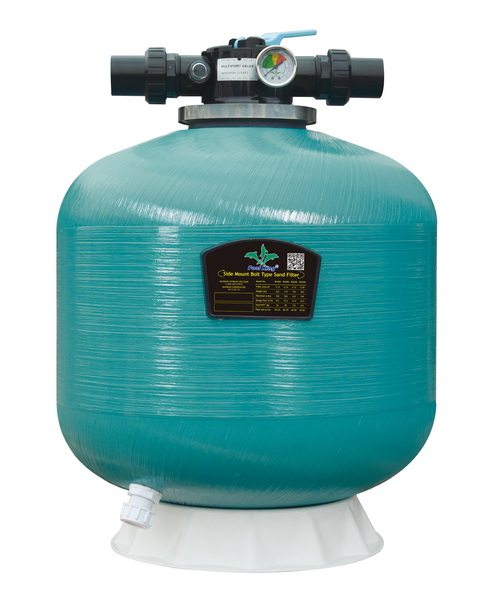
Once the new sand is working properly, a simple routine will keep it efficient and extend its service life.[12][2]
- Plan to backwash whenever the pressure is about 8–10 psi above the clean starting pressure, rather than on a rigid calendar.[2]
- Run the filter every day long enough to turn the entire pool volume over at least twice; many sand filter owners run 8–12 hours daily in season.[9][5]
- Expect to replace sand roughly every 3–5 years depending on bather load, debris, and water quality, following manufacturer recommendations.[12][2]
After changing sand in a pool filter, the key actions are to backwash, rinse, establish a clean starting pressure, and run the system long enough to clear residual dust and debris. Combined with correct water chemistry and routine backwashing based on pressure rise, a freshly re‑sanded filter will restore clear, healthy water and protect the pool equipment for seasons to come.[1][12][2][5][3]
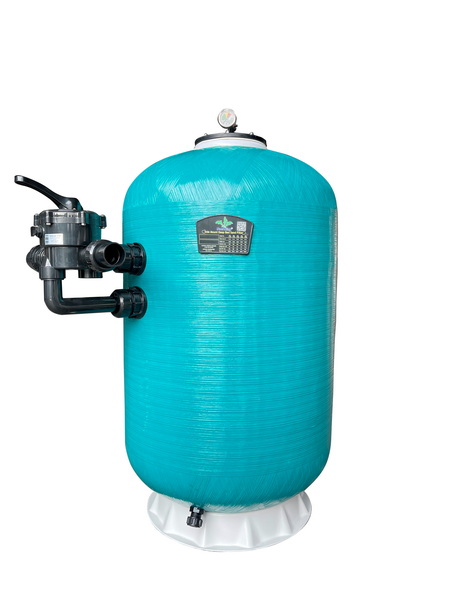
A1: Backwash for at least 2–3 minutes or until the sight glass or discharge water runs completely clear, then switch to Rinse.[7][2]
A2: Yes, running Rinse for 30–60 seconds helps resettle the sand bed and prevents fine sand and dust from blowing back into the pool.[7][3]
A3: A mild temporary haze can be normal and usually clears with continuous filtration and properly balanced chemistry over the next 12–24 hours.[5][3]
A4: Sand in the pool often signals cracked laterals, a damaged standpipe, or incorrect reassembly inside the filter, requiring inspection and repair.[4]
A5: After the initial post‑change backwash and rinse, backwash only when pressure rises 8–10 psi above the recorded clean starting pressure.[2][3]
A6: Under typical residential use and proper care, sand can last around 3–5 years before losing efficiency and needing replacement.[12][2]
[1](https://www.poolking.co/a-news-what-to-do-after-changing-sand-in-pool-filter.html)
[2](https://www.swimuniversity.com/change-pool-filter-sand/)
[3](https://alliedpools.com/maintaining-your-sand-filter-system)
[4](https://www.thepoolfactory.com/blogs/pool-care/how-to-change-the-sand-in-a-pool-filter)
[5](https://www.thepoolfactory.com/blogs/pool-care/operating-your-sand-filter)
[6](https://pinchapenny.com/pool-life/backwash-pool-sand-filter)
[7](https://bigbecks.com/how-to-backwash-a-sand-filter-a-step-by-step-guide/)
[8](https://www.youtube.com/watch?v=1q-es_ECuSk)
[9](https://www.youtube.com/watch?v=TqSPuekohqQ)
[10](https://www.swimmingpool.com/maintenance/pump&filter/changing-sand-in-your-pool-filter/)
[11](https://thursdaypools.com/blog/how-to-backwash-a-sand-filter/)
[12](https://bestwayusa.com/blog/how-do-i-use-a-sand-filter-pump.html)
[13](https://www.youtube.com/watch?v=v9ghBgNkv-4)
[14](https://www.youtube.com/watch?v=ZNH9JLufzUM)
[15](https://www.youtube.com/watch?v=nIukd5sbNFw)
[16](https://www.youtube.com/watch?v=r8soaqt1Pn0)
[17](https://purepoollife.com/what-to-do-after-changing-sand-in-pool-filter/)
[18](https://www.youtube.com/watch?v=h5wCuebIzWk)
[19](https://www.reddit.com/r/swimmingpools/comments/c5fyrs/how_to_change_sand_in_this_sand_filter/)
[20](https://www.youtube.com/watch?v=VxIsKhGyZXQ)


