
Views: 222 Author: Tina Publish Time: 2025-09-28 Origin: Site


Content Menu
● Why Run Your Pentair Pump All Day?
● How Pentair Variable Speed Pumps Enable 24/7 Operation
● Step-by-Step: Setting Your Pentair Pump for 24-Hour Operation
>> 1. Verify Pump Model and Controller
>> 2. Access the Control Panel
>> 3. Set the Time Format (First Use Only)
>> 4. Choose a Speed Slot for Continuous Operation
>> 5. Program the Schedule: 23:59 Hours
>> 6. Adjust Running Speed (RPM)
>> 8. Optional: Add Cleaning or Boost Cycles
● Expert Tips for Efficient 24/7 Pump Operation
● Troubleshooting Common Issues
● Scheduling Examples for Various Pool Needs
● Integrating With Automation and Smart Controls
● Continuous Operation and Energy Cost Considerations
● Safety and Maintenance Reminders
>> Q1: Can I exactly schedule 24 hours?
>> Q2: What RPM is best for 24/7 operation?
>> Q3: Does continuous running cost more?
>> Q4: Is this safe for my pump's life?
>> Q5: How should I adjust chemicals?
Ensuring your swimming pool remains clear, healthy, and inviting demands top-tier water circulation. For pool owners using Pentair's advanced pumps, running the pool pump continuously—virtually 24 hours a day—is both possible and advantageous. This in-depth guide covers why, how, and best practices for running your Pentair pool pump in continuous mode, including practical steps, tips for energy savings, and expert troubleshooting. Whether you're a homeowner, a pool professional, or an international buyer seeking solutions from Chinese OEM filtration factories, this guide ensures every aspect is addressed with real-world detail.[1][2]
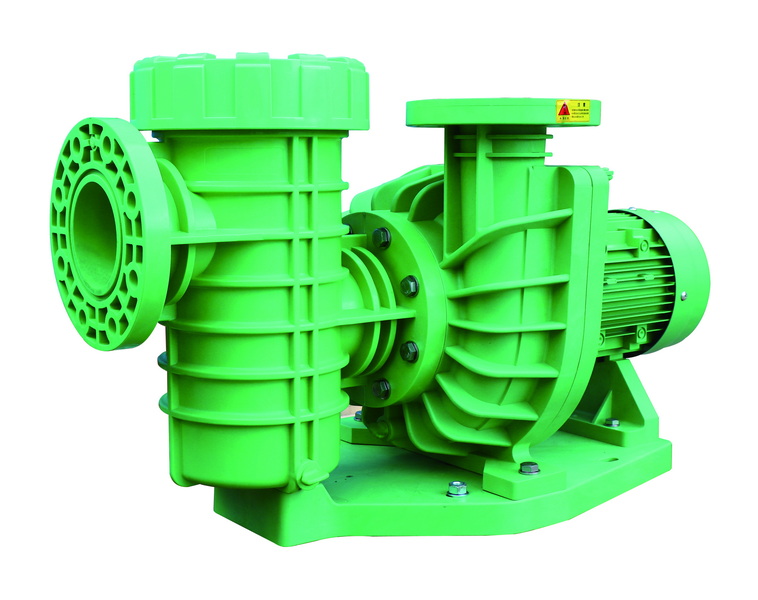
Continuous water movement is the heart of effective pool sanitation and clarity. When the pump runs continuously, water is drawn through skimmers and main drains, forced through filters, and returned to the pool—clean and freshly treated. This steady cycling prevents algae growth, ensures chemical balance, and eliminates unhygienic “dead spots” where debris tends to accumulate. During peak swimming season, very hot weather, or after storms, continuous filtration gives you superior control over pool conditions.[2][1]
- Smooth, non-stop circulation keeps water crystal clear and healthy.[2]
- All-day operation supports optimum chemical mixing for effective sanitation.[2]
- Eliminates "dead spots"—areas of stagnant, debris-laden water that standard schedules might miss.[1]
- Reduces the risk of bacterial growth and cloudy water.[1]
Energy efficiency is a major concern for modern pool owners. Pentair's variable-speed pumps (IntelliFlo, SuperFlo VS, WhisperFlo VST, etc.) are designed specifically to lower energy consumption by running at lower speeds for longer periods, making 24-hour operation affordable and eco-friendly.[9][1]
The Pentair IntelliFlo, IntelliFlo3, SuperFlo VS, and WhisperFlo range use brushless, permanent magnet motors controlled by digital interfaces. This allows users to customize schedules, set different speeds for various times of day, and minimize power usage without compromising performance.[10][1]
Key benefits include:
- Custom scheduling through a simple control panel or mobile app
- Precise RPM adjustment from as low as 450 up to 3450 for specialized needs[5]
- Both 12-hour and 24-hour clock settings for easy integration into household routines[4][5]
- Secure circuit protection, user alerts, and manual override for system health and safety[7][5]
First, confirm your Pentair pump model supports variable speed scheduling through a digital control interface. Most modern IntelliFlo, IntelliFlo VSF, SuperFlo VS, and WhisperFlo VST pumps feature this option.[5][10][1]
- Power on your pump: look for a green light or lit display screen[5][1]
- Press the “Menu” or “Display” button to navigate through pump settings[6][1]
- Hold the display button for three seconds. The time format selection (12 or 24 hour) appears.[4][6][5]
- Select your preferred format with the “+” and “-” arrows, then confirm.[4][5]
- Enter the current time and adjust screen brightness if prompted.[4][5]
- Use a higher-numbered speed (e.g., Speed 5–8) for your main filtration schedule, freeing lower slots for quick cleans, vacuuming, or special uses.[1][2]
- On the speed slot menu, press “Select,” then choose “Schedule” (not “Disable”) with the arrow keys.[2][1]
Due to firmware restrictions, Pentair pumps can't be set for a literal 24:00 hour cycle; use a 23 hour and 59 minute slot for uninterrupted operation with a built-in reset. This one-minute pause does not affect filtration quality and helps protect the pump's electronics.[7][1][2]
- Set start time: 12:00 AM (midnight).
- Set stop time: 11:59 PM.
- Confirm and save your settings.[7][1][2]
- Set the filtration RPM to 1400–1800 for most pools, which maximizes filtration at minimal energy cost.[11][9][5]
- Save the settings before exiting.[5][1][2][4]
- Press “Start/Stop” to engage Schedule Mode. The display should now show “Running Schedule” or similar, confirming the 24-hour operation is active.[6][7][1]
- If attached to a smart automation system (like IntelliTouch or EasyTouch), program the pump through the automation interface.[1]
- To run the pump at higher speeds for cleaning, heating, or backwashing, use another speed slot with its own dedicated time window.
- Avoid schedule overlap to prevent conflicts.[6][1]
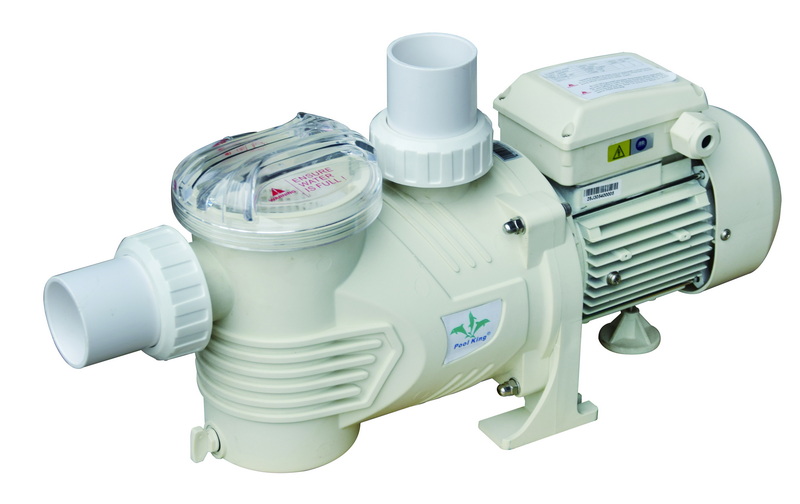
Optimize your schedule and cost savings:
- Use the lowest effective RPM for regular filtration (often 1400–1800). Test water clarity and adjust up if needed for large or high-debris pools.[9]
- Reserve higher RPM periods (e.g., 2200–2800) for short cleaning cycles, typically early morning or late at night when energy rates may be lower.[13]
- Integrate pump operations with pool heater, LED features, or automatic chlorinators to maximize equipment life and save on total utility costs.[14][13]
- During heavy rainfall or after pool parties, temporarily increase RPM for a few hours to speed debris clearing and sanitizer dispersion.[13]
- If your power utility offers off-peak rates, schedule short high-speed cycles accordingly.[14]
Daily and weekly maintenance:
- Monitor filter pressure; backwash or clean filter cartridges as needed (typically when pressure rises 8–10 PSI above clean baseline).[13]
- Inspect pump basket regularly and clear out any leaves or debris that collect, as clogs impede flow and reduce efficiency.[1][2]
- Use a pool brush to agitate corners and ladders periodically—no system is perfectly dead-spot-free, even with full-time pumps.[1]
Chemical management:
- Running the pump continuously keeps chemicals well-mixed and stable, but always test chlorine, pH, and alkalinity weekly (or more often after storms or heavy use).[14][2]
- Adjust sanitizer and stabilizer dosing to account for the continuous movement; you may need slightly less chlorine since water never stagnates.[13]
Pump does not run continuously:
- Double-check scheduled settings for overlapping or incomplete schedules.[2][1]
- Ensure firmware is up to date, especially on IntelliFlo and SuperFlo VS models.[7]
- Inspect any automation system or timer boxes for conflicts.[5][1]
Pump overheating or tripping breakers:
- Continuous low-speed operation should not overheat a Pentair variable-speed pump in good condition. If heat or noise increases, clean the filter and check for blockages.[13]
- For older single-speed pumps (not recommended for 24-hour use), prolonged operation can stress the equipment and increase wear, requiring more frequent servicing.
Water clarity not improving:
- Review RPM setting; gradually increase until optimal water flow is restored.
- Check for dead spots, circulation angles, or clogged filter elements.[2]
- Use pool clarifiers, shock treatments, or additional brushing as needed.[1]
| Pool Scenario | Recommended RPM | Run Time | Notes |
|---|---|---|---|
| Standard daily use | 1400–1600 | 23:59 min/day | Balance clarity, low cost; increase RPM for storms |
| Large/commercial pool | 1800–2200 | 23:59 min/day | Higher RPM to handle increased debris load |
| Frequent pool parties | 2200+ (boost) | 2-3 hrs/day | Schedule boost after parties or heavy bather load |
| Saltwater/chlorinator | 1400–1600 | 23:59 min/day | Ensures proper chlorination and chemical mixing |
Modern Pentair pumps can connect with pool automation systems (such as IntelliTouch, EasyTouch, Home Automation panels, and Pentair Home App). This enables:
- Remote schedule adjustment and real-time monitoring
- Integration with pool heater, water features, and lighting schedules
- Timely pump health alerts, error notifications, and firmware upgrades
- User-friendly phone and tablet interfaces for everyday management[10][14][5]
Pro tip:
Use these systems to align pump schedules with energy provider off-peak periods or to simplify multiple system management—especially valuable for commercial facilities or larger pools.
Variable-speed pumps are specifically engineered for energy conservation, and running all day on low speed (around 1400–1600 RPM) generally uses less electricity than cycling on and off at high speed:[9][1]
- Pentair IntelliFlo pumps are up to 33% more efficient than standard models.[2]
- Run-time energy usage is proportional to the cube of RPM; halving RPM can cut power draw to 12.5% of the max.[9][1]
- Long-term, this translates to substantial savings—often lowering home energy bills despite longer pump run times.
- Never allow the pump to run dry; always check water levels.
- Regularly inspect and clean pump baskets, skimmer baskets, and pool drains.
- Test circuit breakers and ensure pump is electrically grounded to prevent failures and hazards.[7][5]
- Inspect O-rings, seals, and gaskets every season, and replace if worn or cracked.
- Schedule professional servicing annually for optimal longevity.
Running a Pentair pool pump continuously—effectively 24 hours—maximizes water clarity, chemical stability, and pool hygiene. Modern Pentair variable speed models are designed for both all-day efficiency and longevity, enabling pool owners and operators to keep swimming conditions ideal with minimal oversight and cost. Always follow proper scheduling technique, regular maintenance, and energy management principles for best results.[13][5][1][2]
No. Most Pentair models require at least a one-minute break to prevent firmware or hardware errors. Set your schedule for 23 hours and 59 minutes daily—this has no practical downside.[7][1]
Most pools operate efficiently at 1400–1800 RPM for regular filtration, saving energy while maintaining clean, clear water. Adjust as needed based on water clarity and filter performance.[9][5][1]
Not necessarily. A variable-speed pump at low RPM uses far less power than a single-speed pump running for less time at high RPM. You may see energy savings despite longer run times.[10][1][2]
Yes, for variable-speed/modern pumps. Continuous operation at low RPM is within design specs and recommended by Pentair. Single-speed pumps are less efficient and may wear faster with 24-hour use.[5][7]
Continuous movement disperses chemicals more evenly. Check and balance your chlorine, pH, and alkalinity at least weekly. You may need less sanitizer since water never stagnates.[14][13]
[1](https://aquapoolsupply.com/blogs/news/how-to-set-your-pentair-variable-speed-pump-to-run-continuously)
[2](https://www.epoolsupply.com/blogs/default-blog/how-to-set-pentair-pool-pump-run-continuously)
[3](https://www.pentair.com/content/dam/extranet/nam/pentair-pool/residential/pumps/archive/intelliflo-vsf/intelliflo-vsf-om-eng.pdf)
[4](https://www.pentair.com/content/dam/extranet/nam/pentair-pool/residential/pumps/archive/superflo-vs/manuals/superflovs-variable-speed-pump-manual-english.pdf)
[5](https://www.pentair.com/content/dam/extranet/nam/pentair-pool/residential/pumps/whisperflo-vst/user-guide/whisperflo-vst-install-and-users-guide.pdf)
[6](https://www.youtube.com/watch?v=5cIjT4oUZOQ)
[7](https://www.pentair.com/content/dam/extranet/nam/pentair-pool/pool-manuals/intellipro-vs-svrs/IntelliFlo_VSSVRS_IntelliPro_VSSVRS_Owners_Manual_English.pdf)
[8](https://www.youtube.com/watch?v=uo5JWolbKAg)
[9](https://www.reddit.com/r/pools/comments/vkrcos/better_to_run_pool_pump_at_low_speed_247_or_high/)
[10](https://www.pentair.com/en-us/education-support/water-education-center/pool-and-spa-education/pool-pump-information-guide.html)
[11](https://www.reddit.com/r/swimmingpools/comments/vzbig7/variable_speed_pump_schedule/)
[12](https://www.youtube.com/watch?v=Vsz_JOnoS1w)
[13](https://lesliespool.com/blog/whats-the-best-time-to-run-your-pool-pump.html)
[14](https://www.swimuniversity.com/run-pool-pump/)


