


Content Menu
● Why You May Need to Reset a Pool Pump
● Safety First Before Resetting a Pool Pump
● Basic Reset: Power‑Cycle and Re‑Prime the Pool Pump
>> Step 1: Turn Off the Pool Pump and Breaker
>> Step 2: Check Pool Water Level and Valves
>> Step 3: Clean and Fill the Pool Pump Basket (Priming)
>> Step 4: Inspect and Seal the Pool Pump Lid
>> Step 5: Release Air From the Filter
>> Step 6: Restore Power and Start the Pool Pump
● Resetting a Variable‑Speed Pool Pump
>> Soft Reset: Stop/Start Without Changing Settings
>> Keypad Reset for Minor Faults
>> Factory Reset: Returning the Pool Pump to Default
● Resetting Timers, Controllers, and Breakers
>> Resetting a Mechanical Pool Pump Timer
>> Resetting a Digital or Smart Controller
>> When a Pool Pump Breaker Will Not Reset
● What to Check After Resetting a Pool Pump
● Common Problems Even After a Pool Pump Reset
● When to Repair or Upgrade Your Pool Pump
● Practical Tips to Prevent Future Pool Pump Resets
● FAQ About Resetting a Pool Pump
>> 1. How often should I need to reset my pool pump?
>> 2. Can I reset my pool pump just by pressing a reset button?
>> 3. Why does my pool pump keep losing prime after a reset?
>> 4. Is it safe to keep flipping the pool pump breaker until it stays on?
>> 5. What should I check first if my pool pump will not turn back on after a power outage?
Resetting a pool pump correctly protects your equipment, keeps your water clear, and helps you avoid expensive service calls later. This complete guide shows you how to safely reset different types of pool pumps, step by step, and explains what to check before and after each reset.
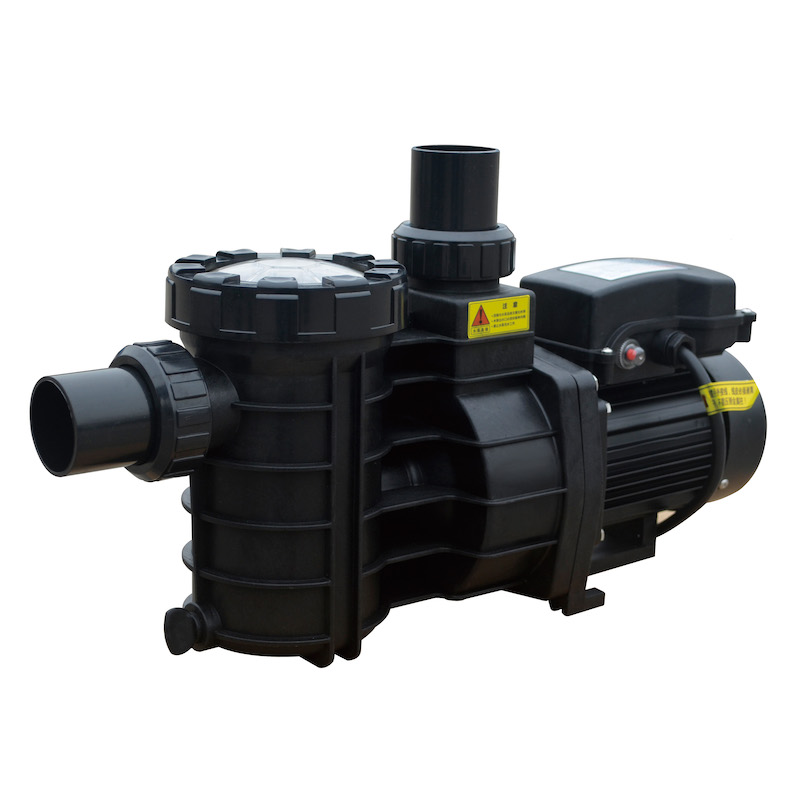
A reset is usually needed when the pool pump stops working normally or its behavior suddenly changes. Typical situations include a power outage, a tripped breaker, or an internal fault on a variable‑speed drive.
Common reasons to reset a pool pump include:
- The pool pump will not start, or it stops shortly after starting.
- The pool pump runs but is not circulating water properly (loss of prime).
- Error codes or flashing lights appear on the control panel of a variable‑speed pool pump.
- The pool pump schedule or timer has become incorrect after a blackout.
- You have just installed, rewired, or re‑programmed the pool pump controller.
In many cases, a careful power‑cycle combined with proper priming is enough to restore normal pool pump operation.
Because a pool pump combines water and electricity, safety must always come first. Before touching any part of the pool pump or control box, make sure the area is safe and dry.
Key safety rules:
- Turn off all power at the main breaker or the dedicated pool pump breaker, and confirm the pump cannot start unexpectedly.
- Avoid standing water around the equipment pad, and keep hands and tools dry.
- Never work on wiring or terminals if you notice burns, melted plastic, or strong burning smells.
- Do not keep flipping a breaker that trips immediately; this can indicate a serious fault.
- If you are unsure about any electrical work, stop and call a licensed electrician or pool service professional.
Taking a few extra minutes to follow these safety steps protects both you and your pool pump.
For many standard single‑speed and two‑speed pool pumps, the basic reset is simply a controlled power‑cycle plus correct priming. This section explains the process in detail.
To start any reset, you must first remove power from the pool pump.
- Switch the pool pump off using its on‑pump switch, timer, or automation panel.
- Locate the dedicated breaker for the pool pump in the electrical panel and flip it to OFF.
- Wait at least 30–60 seconds so internal electronics and capacitors can fully discharge.
This short pause helps clear temporary glitches in the pool pump motor and controller.
A pool pump cannot run correctly if it cannot get water. Before restarting the pool pump, confirm that the circulation path is ready.
- Check that the water level is at least halfway up the skimmer opening. If the level is too low, the pool pump will suck air and lose prime.
- At the equipment pad, verify that suction valves from the skimmer and main drain are open.
- Make sure return valves sending water back to the pool are open and that any valves to “waste” or “bypass” are in the correct position.
- If the pool has a spa, water feature, or vacuum line, confirm that these valves are in normal circulation mode.
Correct valve positions help your pool pump pull water smoothly and avoid noisy cavitation or air lock.
Priming prepares the pool pump to move water immediately when it starts.
- Release the clamp or locking ring and remove the pool pump lid.
- Take out the strainer basket and remove leaves, hair, and debris that restrict water flow.
- Use a hose or bucket to fill the pool pump basket and housing completely with clean water.
- Re‑install the basket correctly, making sure it sits flat and does not block the inlet.
Filling the basket helps the pool pump build suction quickly and reduces the risk of running dry.
Air leaks on the suction side of the pool pump can make priming difficult and cause the pump to lose prime after a reset.
- Inspect the lid O‑ring for cracks, flattening, or dirt.
- Wipe the O‑ring and the lid groove clean, then apply a thin layer of silicone‑based lubricant if needed.
- Place the lid back on the pool pump and tighten the clamp or locking ring evenly by hand.
A properly sealed lid helps the pool pump maintain a solid column of water.
Your pool pump works in a closed system with the filter, so trapped air must be removed.
- On the top of your sand filter, DE filter, or cartridge filter, locate the air relief valve.
- Open the valve before starting the pool pump so air can escape instead of blocking water flow.
You will close this valve again after the pool pump has run for a short time and a steady stream of water (without air sputtering) exits the relief.
Now you are ready to complete the basic reset and restart the pool pump.
- Turn the pool pump breaker back to ON.
- Use the pump switch, timer, or automation panel to start the pool pump.
- Watch the pool pump closely for the first 2–3 minutes:
- The pump basket should fill quickly with water.
- Air should escape from the filter's air relief valve.
- A strong, steady flow should return from the pool's inlet jets.
If the basket does not fill or you see mostly air and weak spurts of water, turn off the pool pump and repeat the priming steps.
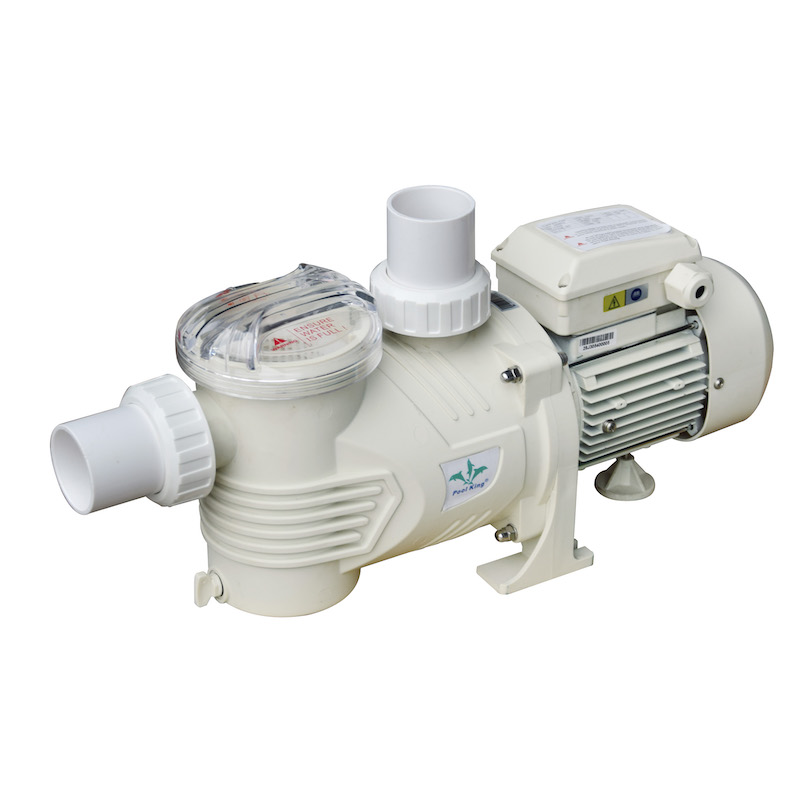
Variable‑speed pool pumps use electronic drives and often have different reset levels: a soft reset, a keypad reset, and a full factory reset. Always consult your specific manual, but the principles below apply to most models.
A soft reset is the gentlest way to reset a variable‑speed pool pump.
- Press the Stop or Start/Stop button on the control panel to stop the pool pump.
- Wait 10–20 seconds.
- Press Start or select a speed button to resume normal operation.
This clears many minor faults and glitches without changing your programmed speeds and schedules.
Many variable‑speed pool pumps have a reset or Quick Clean button to clear non‑critical error codes.
Typical steps (exact procedure depends on the model):
- Ensure the pool pump has power at the breaker.
- Press the Reset or Quick Clean button on the control panel.
- Then press Start/Stop or a designated speed button (for example, Speed 2 or Speed 3) to resume filtration.
This type of reset can clear small communication errors or short‑term overload conditions while preserving your custom settings.
A factory reset erases your customized programming and returns the variable‑speed pool pump to its default state. Use this only when other resets fail or when you need to start from scratch.
General guidelines (always check your manual):
- Record your current speed settings, schedules, and any special programs before performing a factory reset.
- On many popular variable‑speed pool pumps, you can trigger a factory reset by pressing and holding several buttons at once (for example, Speed 1, Speed 2, Speed 3, and Quick Clean) for about three seconds.
- On some advanced models, you may need to navigate to a “Firmware” or “About” screen and then hold a combination of buttons until the display confirms a reset.
Once the pool pump confirms the factory reset, you will need to re‑enter:
- Filtration speeds for daily circulation.
- Higher speeds for backwashing a sand or DE filter, or for running water features.
- Start and stop times, plus the specific days of operation.
A factory reset is powerful, so treat it as a last resort for persistent programming or communication problems.
Sometimes the pool pump itself is fine, but the device that controls it is not. After a storm or power cut, timers and breakers may need attention.
Traditional mechanical timers use a rotating dial and metal trippers to switch the pool pump on and off.
To reset a mechanical timer:
- Open the timer cover and locate the round dial with hour markings and ON/OFF trippers.
- Pull the dial slightly outward and turn it until the current time lines up with the fixed pointer or arrow.
- Position the ON tripper at the time you want the pool pump to start, and the OFF tripper at the time you want it to stop.
- Tighten the tripper screws if necessary, then close the cover.
Once set correctly, the timer will automatically turn the pool pump on and off each day.
Digital timers and smart automation systems can also affect your pool pump after a power loss.
- Check that the controller display is on and not showing critical error codes.
- Confirm that the time and date are correct; adjust them if they changed after an outage.
- Review the pool pump schedule to make sure the intended run times are still enabled.
- For smart controllers with apps, reconnect to Wi‑Fi or the network if necessary and verify that the pool pump responds to commands.
If a digital control panel freezes or fails to recognize the pool pump, a full power‑down of the controller and pump, followed by a restart, often clears the problem.
A breaker that will not stay on is a strong warning sign and should not be ignored.
Potential causes include:
- Short circuits or damaged insulation in the wiring to the pool pump.
- Water intrusion inside the motor housing or junction box.
- Internal motor failure or severe overload.
If the breaker trips immediately or will not reset at all, do not force it. Leave the pool pump off and call a licensed electrician or experienced pool technician to diagnose the underlying issue.
After you reset the pool pump and it starts running again, take a few extra steps to confirm everything is truly back to normal.
Important checks:
- Verify that the pool pump basket stays full of water and that there are no large air bubbles under the lid after several minutes.
- Look at the filter pressure gauge and compare it to your normal “clean” pressure. A very high reading may indicate a dirty filter; a very low reading may point to flow restrictions or air leaks.
- Walk around the pool to confirm that all return jets are pushing out a strong, steady stream of water.
- Listen for unusual noises from the pool pump motor, such as grinding, screeching, or loud humming.
In the hours and days after a reset, monitor water clarity and chemistry, especially if the pool pump was off for a long time.
Sometimes resetting the pool pump does not fully solve the problem. Recognizing early warning signs can help prevent major damage.
You may still need service if:
- The pool pump repeatedly loses prime, even though water level and valves are correct.
- The motor runs very hot and shuts off by itself.
- The pool pump operates, but the filter pressure is abnormal and the water does not clear up despite good chemical balance.
- The pool pump vibrates heavily or makes loud rattling noises.
In these cases, there may be deeper issues such as worn bearings, blocked impellers, undersized plumbing, or an incorrect match between the pool pump and filter.
If your pool pump needs frequent resets, it might be time to consider repair or replacement. Continuing to run a failing pool pump can increase energy use, shorten equipment life, and put your filtration system at risk.
Consider repair or upgrade when:
- The pool pump is old, inefficient, and has started needing more frequent attention.
- The motor has been repaired multiple times and still overheats or trips the breaker.
- Your pool usage has changed (for example, added a spa or water feature) and the current pool pump can no longer keep up.
- You want better control, quieter operation, and higher energy efficiency from a modern variable‑speed pool pump.
Upgrading to a high‑quality pool pump that is easy to reset, prime, and program can be an excellent long‑term investment for both homeowners and commercial pool operators.
Prevention is always better than emergency troubleshooting. With a few habits, you can reduce the need to reset your pool pump.
Helpful habits include:
- Keep the pool water level consistent, especially during hot weather and periods of heavy use.
- Empty skimmer baskets and the pool pump strainer basket regularly to maintain strong flow.
- Backwash or clean your filter according to the manufacturer's recommendations and whenever the pressure rises significantly above the clean‑filter baseline.
- Protect the equipment pad from flooding and heavy rain that can damage electrical components.
- At least once a season, visually inspect wiring, conduits, unions, and valves around the pool pump and filter.
By combining good maintenance with the reset methods in this guide, you will keep your pool pump running reliably for years.
Resetting a pool pump correctly always starts with safety: shut off the power, make sure the area is dry, and never ignore damaged wiring or constantly tripping breakers. For many situations, a calm, step‑by‑step process—turning the pool pump and breaker off, checking water level and valves, cleaning and priming the pump basket, and then restarting—will quickly restore normal circulation. Modern variable‑speed pool pumps add useful keypad and factory reset options, but these should be used carefully and only after you record your settings. If your pool pump still refuses to start, loses prime repeatedly, or keeps tripping the breaker even after a proper reset, it is time to stop guessing and call a qualified professional to protect your investment and keep your pool water safe.
Contact us to get more information!
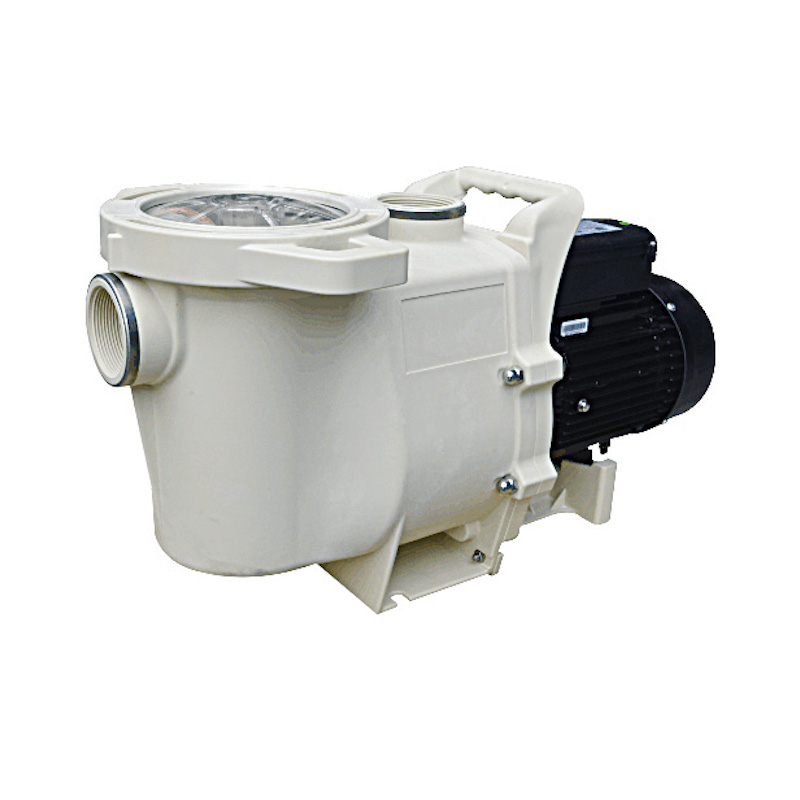
You should not have to reset a healthy pool pump very often. Occasional resets after power outages or storms are normal, but frequent resets usually mean there is an underlying electrical, mechanical, or plumbing problem that needs attention.
Some variable‑speed pool pumps do have a dedicated reset or Quick Clean button that clears minor faults without erasing your schedule. Many basic single‑speed pool pumps, however, have no special button and are reset simply by turning the power off at the breaker, re‑priming the pump, and turning the power back on.
If your pool pump keeps losing prime, there is usually a problem with water supply or air infiltration. Common causes include a low pool water level, a cracked or dirty lid O‑ring, loose fittings on the suction side, blocked skimmer or pump baskets, or an air leak at the filter or valves.
No. If the breaker for your pool pump keeps tripping or refuses to reset, repeatedly flipping it can be dangerous and can damage the motor or wiring. A tripping breaker is a safety device warning you that something is wrong, so the safest approach is to leave the pool pump off and call a licensed electrician or experienced pool technician.
After a power outage, first make sure the pool pump breaker is in the ON position and that your timer or automation system shows the correct time and schedule. Then confirm that the pool water level is high enough, the valves are open, the pump basket is clean and primed with water, and the lid is sealed before trying to restart the pool pump.
1. https://www.poolkingfilter.com/how-to-reset-a-pool-pump.html
2. https://aquapoolsupply.com/blogs/news/how-to-reset-your-pentair-intelliflo-vsf-pool-pump
3. https://lesliespool.com/blog/pool-pump-troubleshooting-guide.html
4. https://www.pentair.com/en-us/about-pentair/newsroom/blog/what-to-do-for-your-pool-after-a-power-loss.html
5. https://intheswim.com/blog/pool-pump-troubleshooting-guide.html
6. https://www.preferredpoolrepair.com/blog/pool-equipment/troubleshooting-common-pool-pump-problems/
7. https://www.youtube.com/watch?v=SPOzgmXgTlk
8. https://www.youtube.com/watch?v=2-4HSvVuqdE
9. https://www.youtube.com/watch?v=tBoKTneSbIU
10. https://www.youtube.com/watch?v=lBHSQpVVXqw
11. https://www.youtube.com/watch?v=6giT0sNXKEU


