


Content Menu
● What “Resetting a Pool Pump” Means
● Safety Checks Before Any Reset
● Basic Reset: Power Cycle and Prime
● Resetting Electronic / Variable‑Speed Pool Pumps
● Resetting After a Power Outage
● OEM‑Grade Pumps and Reset‑Friendly Designs
● FAQs About Resetting a Pool Pump
>> 1. Where is the reset button on my pool pump?
>> 2. How do I reset my pump after a power outage?
>> 3. Can I factory reset a Pentair IntelliFlo or SuperFlo VS pump myself?
>> 4. Why does my pump still not work after resetting?
>> 5. How do I know if the pump is properly primed after a reset?
>> 6. How often should I need to reset my pool pump?
>> 7. Can OEM and private‑label brands customize control panels and reset instructions?
Resetting a pool pump safely restores normal circulation after a power outage, error code, or control failure and helps protect the motor, filter, and plumbing from damage. Many issues resolve with a simple power cycle and priming, while others need keypad or factory resets on variable‑speed models.[1][2][3]
As a professional Chinese manufacturer of premium sand filters, DE filters, cartridge filters, pool pumps, LED pool lights, and accessories, this guide is designed for both pool owners and international OEM partners who want practical reset steps plus reliable equipment options for residential and commercial pools.
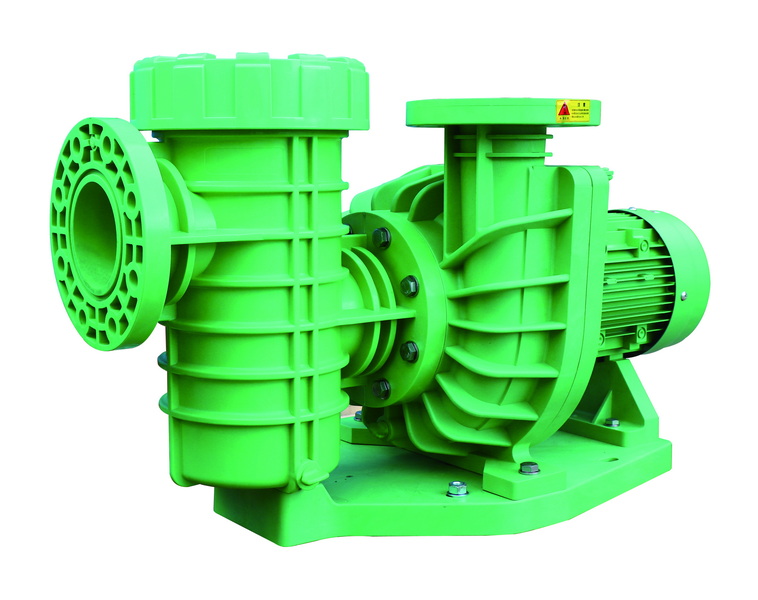
Resetting a pool pump usually means restoring it to a working state after an interruption, fault, or configuration problem. The exact method depends on whether the pump is a simple single‑speed model or an electronic variable‑speed unit with a keypad or controller.[2][1]
Common reset situations include:
- Power outage or blackout that stops the timer or controller.[3][4]
- Pump not starting, showing error codes, or shutting down unexpectedly.[5][1]
- Priming loss (pump running dry or not moving water) that needs a restart after re‑priming.[6][7][8]
Before pressing any reset button or turning breakers back on, basic safety checks protect people and equipment.[6][3]
Key safety steps:
- Turn off all power at the main breaker or dedicated pump breaker and verify the pump cannot start unexpectedly.[8][6]
- Keep hands dry, wear rubber‑soled shoes, and never touch electrical components if there is standing water near the equipment pad.[4][3]
- Inspect wiring, plug, and control box for burns, melted plastic, or obvious damage; if present, stop and call a licensed electrician.[9][5]
For many pumps, a simple power cycle combined with proper priming is enough to bring the system back to normal after an outage or air in the lines.[2][3]
Step‑by‑step basic reset
1. Turn off the pump and breaker
- Switch the pump off at the timer or control box, then flip the dedicated breaker to the OFF position.[8][6]
- Wait at least 30–60 seconds to allow electronics and capacitors to discharge fully.[1][2]
2. Check pool water level and valves
- Confirm the pool water level is above the skimmer opening so the pump can draw water without sucking air.[11][6]
- Open all required suction and return valves (skimmer, main drain, returns) and close any winterizing or bypass valves that were opened during the power loss.[3][11]
3. Clean and fill the pump basket (priming)
- Remove the pump lid, take out the strainer basket, and clear leaves or debris.[11][8]
- Reinstall the basket, then use a garden hose to fill the pump housing completely with water for at least 1–2 minutes.[7][11]
4. Secure the lid and release air
- Inspect and clean the lid O‑ring, lubricate if needed, and tighten the lid evenly to prevent air leaks.[8][11]
- Open the air relief valve on the top of the filter (if present) to let trapped air escape when the pump restarts.[6][8]
5. Restore power and start the pump
- Turn the breaker back to ON, then start the pump from the switch, timer, or controller.[7][3]
- Watch the pump for 2–3 minutes: water should fill the basket, air should bleed from the filter, and a steady stream should return to the pool.[7][6][8]
If flow does not establish or the pump quickly loses prime, there may be an air leak, clogged line, or more serious problem that needs further troubleshooting.[11][8]
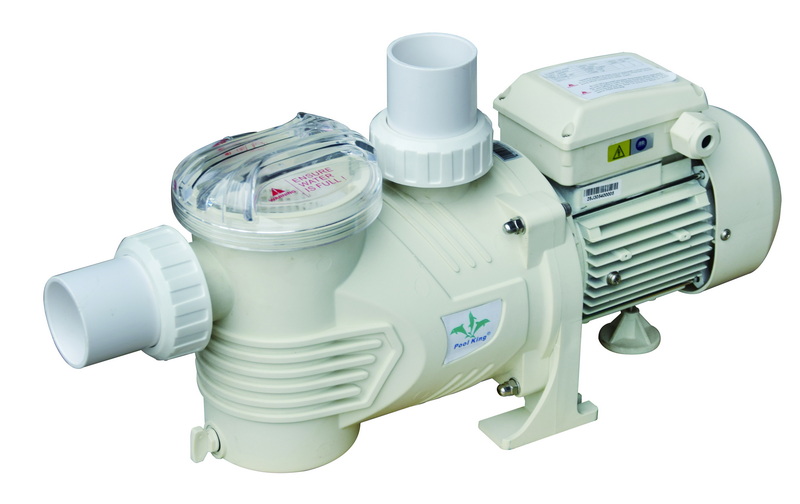
Variable‑speed pumps (e.g., Pentair IntelliFlo, SuperFlo VS and similar) feature on‑board electronics and keypads, so resetting may involve specific button sequences instead of just power cycling.[1][2]
Common reset options on modern VS pumps:
- Keypad reset: Clear minor faults and restart programmed speeds without wiping schedules.[1]
- Factory reset: Return all settings to factory defaults and erase custom speeds, timers, and priming values.[13][2][1]
Typical procedures (always check the exact manual):
- For some Pentair SuperFlo VS units, press and hold all four speed buttons (1, 2, 3, and Quick Clean) for about 3–5 seconds until the display confirms a factory reset.[13][2]
- On certain IntelliFlo models, holding a combination of keys such as Connect, Start/Stop, and Reset/Quick Clean for several seconds can trigger a drive reset, indicated by flashing LEDs.[1]
After any electronic reset, the owner must re‑enter:
- Desired speed settings (low speed for filtration, higher for backwash or water features).[2][1]
- Run schedules, including start/stop times and days of the week.[2]
Power outages can stop the pump, confuse timers, and leave the pool without circulation for hours or days. A proper restart routine protects both water quality and equipment.[4][3]
Recommended steps after power loss:
- Remove covers, clear large debris from the pool surface and skimmer so the pump is not starved for water when it restarts.[3][4]
- Close any drain plugs or valves opened for freeze protection, then restore power at the breaker.[3]
- Prime the pump by filling the basket, then run the pump and filter continuously for at least one hour to begin re‑circulating and re‑sanitizing the water.[2][3]
If the pump does not start automatically when power returns, the timer or controller may need its time, schedules, and mode reset manually.[14][2]
Sometimes the pump continues to trip breakers, show repeated errors, or fail to prime even after a correct reset.[9][5]
Warning signs that indicate deeper problems:
- Breaker trips immediately when the pump is switched on, suggesting a shorted motor, damaged wiring, or faulty GFCI.[16][5]
- Pump hums but will not start, often caused by a failed start capacitor or seized motor bearings.[10][9]
- Good prime and clear lines, but little or no flow, which may point to a clogged impeller or internal mechanical damage.[5][9]
At this stage, owners should:
- Avoid repeated resets that may overheat or further damage the motor.[9]
- Call a qualified pool technician or electrician for inspection and consider repair, motor replacement, or a full pump upgrade.[5][9]
For brands, wholesalers, and builders, specifying pumps and filtration systems that are easy to reset and maintain helps reduce warranty claims and support costs.
Practical OEM considerations:
- Choose variable‑speed pumps with intuitive keypads, clear reset procedures, and compatible automation interfaces for different markets.[1][2]
- Pair pumps with appropriately sized sand, cartridge, or DE filters to minimize priming and pressure issues, and include clear labeling of valves and flow direction on the equipment pad.[8][5]
As a Chinese factory specializing in sand filters, DE filters, cartridge filters, pool pumps, and LED pool lighting, modular system design, clear English labels, and documentation can be provided to support private‑label brands and international installers.
Resetting a pool pump correctly starts with safety, then moves through structured steps: power off, priming, power on, and, for variable‑speed models, using keypad or factory reset functions only when needed. After power outages or faults, owners should not only restore flow but also check timers, schedules, and water quality, and call professionals if breakers trip, motors hum, or the pump will not prime despite multiple attempts.[6][9][5][2][3][1]
For OEM customers and pool professionals, specifying modern, reset‑friendly pumps and matched sand, DE, or cartridge filter systems helps ensure stable circulation, easier service, and long‑term satisfaction for end users in residential and commercial pools.
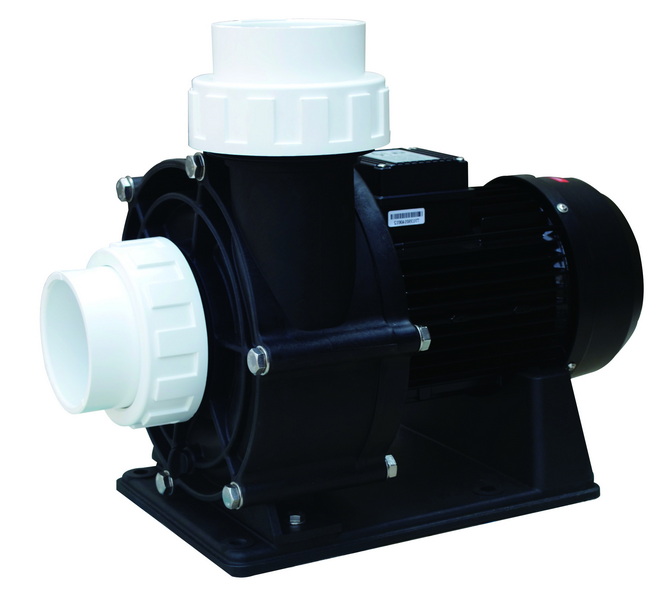
Many basic single‑speed pumps have no dedicated “reset” button; they are reset by turning power off at the breaker and restarting after priming. Variable‑speed pumps may use keypad sequences or combinations of speed buttons to reset or restore factory defaults, described in the owner's manual.[13][6][8][2][1]
First, turn off the breaker, check water level, open the right valves, clean and fill the pump basket, then replace the lid and reopen the air relief on the filter. Turn the breaker back on, start the pump, and let it run for at least an hour to restore circulation and begin re‑balancing the pool.[6][2][3]
Yes, many Pentair variable‑speed models allow owners to perform a factory reset through the keypad by holding specific speed or function buttons for several seconds. However, this erases all custom schedules and speed settings, so they should be recorded before resetting and re‑entered afterward.[13][2][1]
If a pump still fails after a correct reset and priming, the problem may be electrical (tripping breaker, bad capacitor, damaged wiring) or mechanical (seized motor, clogged impeller, severe air leak). In these cases, repeated resets can worsen damage, and a technician should inspect the system and recommend repair or replacement.[16][9][5]
A properly primed pump fills quickly with water, pushes air out of the filter air relief, and produces strong, steady flow from pool returns within a couple of minutes. If the pump basket stays mostly full of air, water surges, or the pump becomes noisy and hot, shut it off, re‑prime, and check for suction‑side air leaks.[7][8][11][6]
Resets should be infrequent; a pump running on a clean, well‑maintained system should operate daily on its timer without constant intervention. Frequent resets signal underlying issues such as poor priming, air leaks, undersized plumbing, controller faults, or aging electrical components that need diagnostics rather than repeated restarts.[8][9][5]
Yes, OEM pump and filter manufacturers can provide customized control overlays, branded labels, QR codes linking to manuals, and tailored reset/priming instructions for different markets and installer preferences. This approach helps foreign brands and wholesalers reduce support calls and ensure consistent user experience across product lines.
[1](https://aquapoolsupply.com/blogs/news/how-to-reset-your-pentair-intelliflo-vsf-pool-pump)
[2](https://bestpooladviser.com/blog/how-do-i-reset-my-pentair-intelliflo-pump-after-a-power-outage-06b45881/)
[3](https://www.pentair.com/en-us/about-pentair/newsroom/blog/what-to-do-for-your-pool-after-a-power-loss.html)
[4](https://www.factorypoolsperth.com.au/what-should-you-do-to-your-pool-after-a-power-outage/)
[5](https://lesliespool.com/blog/pool-pump-troubleshooting-guide.html)
[6](https://www.aquaticcouncil.com/news/how-to-prime-a-pool-pump/)
[7](https://www.swimuniversity.com/prime-pool-pump/)
[8](https://www.swimmingpool.com/maintenance/pump&filter/when&how-to-prime-pool-pump/)
[9](https://www.youtube.com/watch?v=2-4HSvVuqdE)
[10](https://www.youtube.com/watch?v=k2w56OMAH4A)
[11](https://www.1stdirectpools.com/blog/post/guide-priming-pool-pump)
[12](https://www.youtube.com/watch?v=9JVApTiCQIg)
[13](https://www.youtube.com/watch?v=lBHSQpVVXqw)
[14](https://www.youtube.com/watch?v=ZiirkpHDtEY)
[15](https://www.youtube.com/watch?v=EG5gLUO_kRs)
[16](https://www.reddit.com/r/swimmingpools/comments/8t1h8g/pool_pump_wont_turn_on_ideas/)
[17](https://www.youtube.com/watch?v=SPOzgmXgTlk)
[18](https://www.reddit.com/r/pools/comments/1g6pdwc/pentair_intelliflo_didnt_come_back_on_after_power/)
[19](https://lettspools.co.uk/wp-content/uploads/2017/10/Priming-a-swimming-pool-pump.pdf)
[20](https://www.youtube.com/watch?v=Rok3I18bPPw)


