
Views: 222 Author: Tina Publish Time: 2026-01-01 Origin: Site


Content Menu
● What a Variable Speed Pump Does
● Step 1: Collect Key Pool Information
● Step 2: Understand RPM, Flow, and Turnover
● Step 3: Set the Correct Time and Basic Settings
● Step 4: Program a Low‑Speed Filtration Block
● Step 5: Add a Medium‑Speed Block for Skimming and Equipment
● Step 6: Add a High‑Speed Block for Heavy Tasks
● Sample 24‑Hour Variable Speed Schedule
● Step 7: Coordinate With Heaters, Salt Systems, and Features
● Step 8: Optimize for Energy Savings
● Step 9: Fine‑Tune and Troubleshoot
● FAQs About Programming a Variable Speed Pool Pump
>> 1. How many hours per day should a variable speed pump run?
>> 2. What RPM should I use for normal filtration?
>> 3. Can I run my variable speed pump 24 hours a day?
>> 4. How does a variable speed pump save money if it runs longer?
>> 5. Do I need a professional to program my pump?
>> 6. How often should I change the program?
Programming a variable speed pool pump is mostly about creating several daily speed “blocks” (low, medium, high) that match your pool's turnover needs, equipment (heater, salt system, cleaner), and local electricity rates. When set up correctly, a variable speed pump can keep water crystal clear and still cut energy use by 50–80% compared with a traditional single‑speed pump.[1][2][3][4]
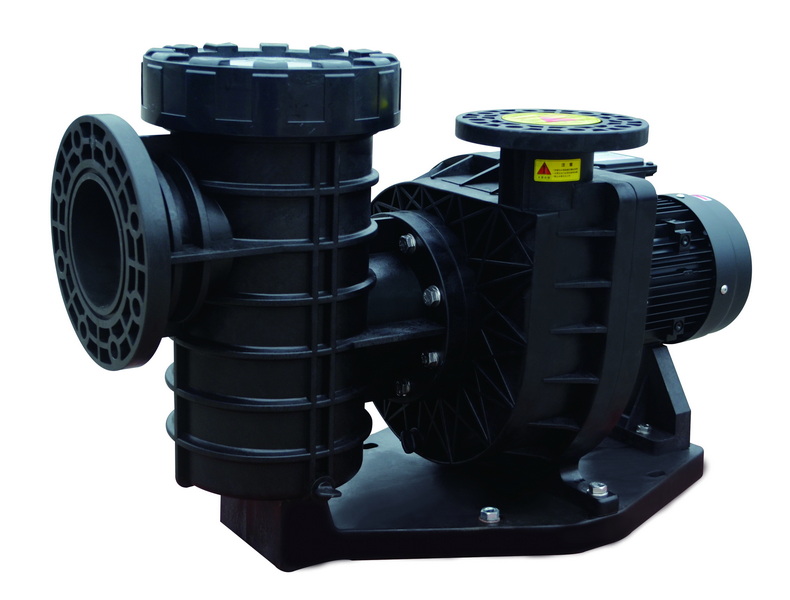
A variable speed pool pump uses a permanent‑magnet motor and electronic drive to run at many different RPM levels instead of one fixed speed. Lower RPMs dramatically reduce noise and electricity use while still providing enough flow for filtration and sanitizing equipment.[3][4]
Unlike single‑speed pumps, you can schedule multiple speeds per day, such as low RPM for quiet, efficient filtration and short high‑speed windows for vacuuming, backwashing, or running a spa or waterfall. This flexibility makes it easier to hit your pool's turnover target while taking advantage of off‑peak utility rates.[2][5][1]
Before programming, gather a few basic facts so the schedule actually matches your system rather than guessing. Having this data ready helps you choose realistic RPM levels and run times.[6][2]
- Pool volume (gallons or liters). Most residential pools aim for at least 1–2 full turnovers of water each day.[7][6]
- Filter type and condition. Sand, DE, and cartridge filters have different flow and pressure characteristics, and a dirty or undersized filter needs more pressure to move water.[8][2]
- Connected equipment. List heaters, solar, salt chlorinators, in‑floor cleaners, pressure‑side cleaners, waterfalls, or spas, which may require minimum flow to operate correctly.[9][2]
- Electricity rate pattern. If your utility offers cheaper off‑peak power, shifting most run time to those hours lowers overall operating cost.[5][2]
Programming a variable speed pump is basically adjusting RPM and hours to hit a target turnover rate. Lower RPM gives lower flow but much lower power consumption, so running longer at low speed is usually more efficient than short bursts at high speed.[2][3][6]
- Single‑speed reference: Older pumps typically run around 3,450 RPM, which is noisy and energy‑intensive but familiar to most owners.[4]
- Variable‑speed range: Many units can operate between about 600 and 3,450 RPM, with common “everyday” filtration speeds of 1,500–2,000 RPM for many average‑sized pools.[1][4]
- Turnover goal: A common guideline is 1–2 complete pool‑volume turnovers every 24 hours; larger commercial pools often aim higher, while lightly used residential pools may be comfortable with 1–1.5 turnovers in mild weather.[8][7][6]
Because pump affinity laws mean power use falls faster than flow when speed drops, even modest RPM reductions can cut energy use roughly in half without sacrificing water quality when run time is extended.[3][5]
Almost every variable speed pump has an onboard clock and several programmable “speed slots” or schedules. Correct timekeeping is essential for aligning high‑speed periods with actual pool use and low‑speed blocks with off‑peak hours.[10][1]
1. Power up and unlock the control. Use the front keypad or connected automation app to enter the main menu.
2. Set the current time and date. Accurate time ensures starts and stops happen when expected and helps when coordinating with heaters or chlorinators.[1]
3. Check default speed labels. Many pumps ship with labels like “Speed 1, Speed 2, Speed 3” or “Pool, Spa, Cleaner”; these can often be renamed to match actual functions (e.g., “Pool LOW”, “Pool HIGH”, “Cleaner”).[10][2]
If the pump is integrated with automation (such as a smart controller or app), confirm that the internal pump clock and automation system clock match to avoid conflicting schedules.[11][10]
The low‑speed block is the foundation of efficient programming because it runs the longest and delivers most of your daily filtration at the lowest cost. For many residential pools, the baseline filtration speed is somewhere between 1,500 and 2,000 RPM.[2][1]
Typical setup approach:
- Duration: 12–18 hours per day at low RPM, often stretched across quiet times (overnight plus early morning).[1][2]
- RPM range: Around 1,500–2,000 RPM works for many average pools if the filter pressure gauge shows a few PSI and the returns have a visible but gentle flow.[9][1]
- Goal: Achieve at least one full turnover and support continuous circulation for the sanitizer and, where applicable, a salt cell.
Example low‑speed schedule:
- 10:00 p.m. – 8:00 a.m. at 1,600 RPM (night off‑peak)
- 10:00 a.m. – 2:00 p.m. at 1,800 RPM (light daytime filtration)
Start on the safer side with slightly longer hours and then trim back gradually as you observe water clarity and chemistry.[9][2]
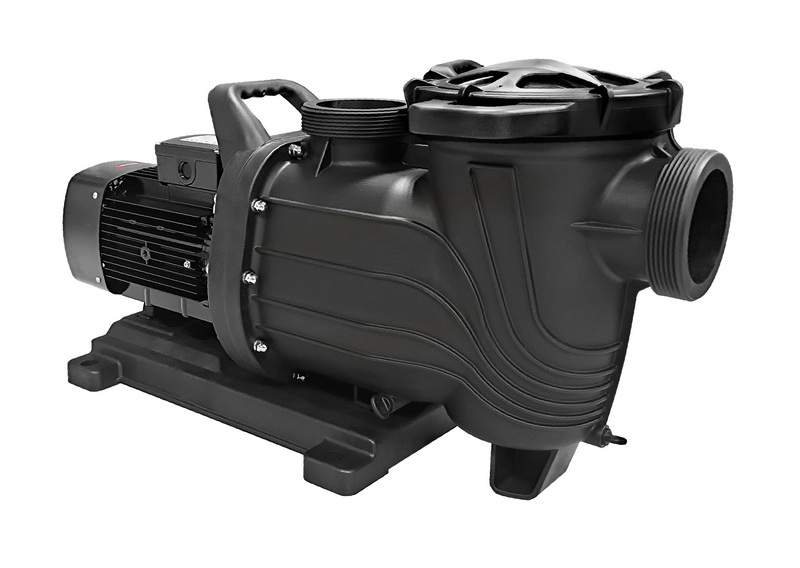
Next, layer in a medium‑speed block for improved skimming and to satisfy minimum flow requirements of add‑on equipment. This block is usually shorter than the low‑speed segment but still important for surface cleaning.[7][2]
- RPM range: Often 2,000–2,400 RPM for many residential systems, depending on plumbing and equipment.[7][1]
- Duration: 2–6 hours per day, commonly scheduled during daylight when leaves, insects, and sunscreen oils accumulate on the surface.[8][7]
- Functions:
- Stronger skimming to pull debris into the skimmer baskets
- Meeting minimum flow rates for salt chlorinators or in‑line feeders, if they do not operate reliably at the lowest speed
- Providing better mixing when adding chemicals like shock or algaecide
Example medium‑speed schedule:
- 2:00 p.m. – 6:00 p.m. at 2,200 RPM for skimming and chemical mixing
If the pool has a pressure‑side cleaner or suction cleaner that needs a certain flow, some owners create a separate “Cleaner” speed and route a 1–2 hour block around periods of heaviest debris.[2][9]
High‑speed programming is typically reserved for demanding tasks that truly need strong flow: vacuuming, running a spa, operating certain water features, driving a gas heater or heat pump, or backwashing a sand or DE filter.[8][9][1]
- RPM range: Often 2,800–3,450 RPM for “full” or “near full” speed, depending on the pump model and plumbing.[4][9][2]
- Duration: Commonly 1–4 hours per day, sometimes split into multiple smaller blocks.[7][8][1]
- Uses:
- Ensuring adequate flow through heaters and heat pumps, which often have minimum GPM or pressure switch requirements[9]
- Powering pressure‑side cleaners and some in‑floor cleaning systems[2][9]
- Backwashing sand or DE filters when needed, according to the manufacturer's instructions[8]
A sample daily pattern from industry guidance might look like: 2–4 hours at high speed for heating and cleaning, 4–8 hours at medium speed, and the rest of the day at low speed for quiet filtration and circulation.[7][9][8]
The table below shows a generic example for an average residential pool with a heater, salt system, and automatic cleaner; actual values must be tuned to the specific system and climate.[1][9][7]
| Time Window | RPM Setting | Purpose |
|---|---|---|
| 12:00 a.m.–6:00 a.m. | 1,600 RPM | Quiet, low‑cost filtration.efficiencymb |
| 6:00 a.m.–9:00 a.m. | 2,200 RPM | Skimming and salt cell output.poolpartstogo |
| 9:00 a.m.–11:00 a.m. | 3,000 RPM | Heater and automatic cleaner.poolpartstogo+1 |
| 11:00 a.m.–4:00 p.m. | 1,800 RPM | Daytime circulation and mixing.lesliespool+1 |
| 4:00 p.m.–8:00 p.m. | 2,200 RPM | Evening skimming and bather load.poolpartstogo |
| 8:00 p.m.–12:00 a.m. | 1,600 RPM | Overnight off‑peak filtration.efficiencymb+1 |
This general pattern can then be shortened, lengthened, or shifted depending on measured water quality, equipment requirements, and energy costs over a few weeks of observation.[6][2]
To avoid error codes and ensure safe operation, speeds must respect minimum flow requirements of attached equipment. Running too slowly can prevent a heater or salt cell from turning on or staying on.[6][9][2]
- Heaters and heat pumps: Many gas and electric units have pressure switches and recommended minimum GPM; it is common to define a dedicated “Heater” speed that the pump uses whenever the heater calls for heat.[9]
- Salt chlorinators: Salt cells also have minimum flow requirements; they often work well at medium speeds around 2,000–2,400 RPM when plumbing is properly sized.[12][7]
- Water features and spas: Features like waterfalls or deck jets typically look better and run more reliably at medium‑to‑high speeds; some automation systems link a specific speed to each auxiliary circuit.[2][9]
If the pump is part of a smart automation system, use its “feature speeds” or “circuits” to automatically switch to the correct RPM when equipment is activated, then return to the default filtration speed when the feature is turned off.[10][2]
Once the pool is staying consistently clear and the equipment runs properly, fine‑tuning the schedule can significantly reduce electricity costs. Using lower speeds for more hours and shifting run times to off‑peak periods are the main levers.[5][1][2]
- Favor lower RPM: Dropping from 3,450 RPM to the 2,400–2,800 RPM range can cut energy consumption by around 50% while still providing enough flow for many systems, and going even lower further increases savings if circulation remains adequate.[3][5]
- Shift to off‑peak hours: When the utility offers cheaper night rates, run most of the low‑speed filtration then, leaving just enough daytime operation for skimming and chlorine production.[5][2]
- Monitor bills and clarity: Track energy bills and keep a log of changes in schedule, so it is clear how each adjustment affects both cost and water quality.[5][2]
Some manufacturers and efficiency programs report that properly set up variable speed pumps can save several hundred dollars per season compared with equivalent single‑speed models, especially in warm climates with long swimming seasons.[6][1]
Programming is not “set and forget”; small changes in weather, bather load, or landscaping can require schedule adjustments. Regular monitoring helps keep everything balanced.[6][2]
- If water is cloudy: Increase daily run time or raise the low‑speed RPM slightly for a few days, and check filter cleanliness and water chemistry.[8][7]
- If the heater or salt cell shuts off unexpectedly: Verify that active RPM is high enough to close the flow or pressure switch, and consult the device manual for minimum required flow.[12][9]
- If the pump is noisy or cavitating at high speed: Check for closed valves, clogged skimmer baskets, or air leaks on the suction side, and avoid unnecessarily high RPM.[8][2]
Keeping a simple notebook or digital note with dates, RPM and schedule changes, and observed water condition makes optimization easier over the season.[6][2]
Programming should always respect basic safety rules and equipment maintenance guidelines. Safe operation protects users and extends the life of the pump and filtration system.[2][8]
- Never run the pump dry. Ensure valves are open and the pump is properly primed before any scheduled block, especially after service or draining.[8]
- Watch filter pressure. If pressure climbs well above the normal clean level, backwash or clean the filter before continuing long high‑speed blocks.[2][8]
- Secure access to controls. Use locks or password features on automation to prevent children or untrained users from changing schedules or speed presets unexpectedly.[6][2]
Annual inspections, sealing minor leaks, and keeping the basket and filter media clean will help the programmed schedule stay effective and energy‑efficient throughout the pool season.[8][2]
Programming a variable speed pool pump is about matching RPM and run time to the specific needs of the pool—volume, filter, heater, sanitizing method, and usage patterns—rather than copying a generic schedule. When the clock, speed slots, and daily blocks are set correctly, most pools can achieve one or more daily turnovers with quiet operation, strong skimming windows, and reliable heater and salt cell performance while still sharply reducing energy use compared with single‑speed pumps.[3][1][6][2][8]
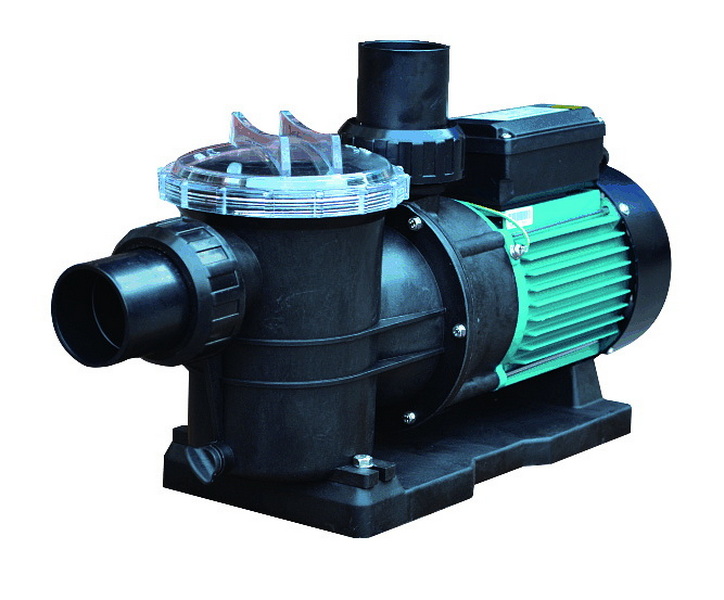
Most residential pools run variable speed pumps for 12–24 hours per day, often with long low‑speed periods and a few hours at medium or high speed for skimming, heating, and cleaning. The exact number of hours depends on pool size, climate, and usage, but aiming for at least one full turnover per day is a common baseline.[7][1][6][8]
For many average‑sized pools, a low filtration speed between about 1,500 and 2,000 RPM is a practical starting point, as it usually provides enough flow for filtration at much lower energy cost than full speed. Owners can then adjust up or down slightly based on filter pressure, water clarity, and any minimum flow needs for salt systems or heaters.[1][7][2]
Running a variable speed pump 24 hours a day at a low RPM is technically possible and often still uses less energy than older single‑speed pumps that run only part of the day at full speed. Many pool professionals, however, prefer a schedule that balances continuous low‑speed circulation with defined higher‑speed windows for skimming and equipment operation to avoid unnecessary run time.[4][9][7][2]
Even though the pump may run more hours, power consumption drops sharply when RPM is reduced, so the total daily energy use can be much lower than a single‑speed pump running fewer hours at full speed. By scheduling most run time at low RPM and during off‑peak electricity periods, many homeowners see seasonal savings of hundreds of dollars.[4][3][5][1][2]
Most modern variable speed pumps are designed for user programming, with clear menus for setting time, speeds, and schedules, so many owners can handle basic setup themselves. For complex systems with heaters, automation, spas, or water features, or when local codes and warranty requirements apply, many manufacturers and energy programs recommend professional commissioning.[10][1][6][2]
Schedules often need minor adjustments across the season to reflect changes in temperature, bather load, and debris, with more run time in hot, high‑use periods and slightly less during cooler or off‑season months. It is wise to reevaluate RPM settings and daily hours any time equipment is added or changed, such as installing a new heater or salt system.[7][6][2][8]
[1](https://efficiencymb.ca/articles/programming-your-variable-speed-pool-pump/)
[2](https://poolpartstogo.com/blogs/articles/programming-your-variable-speed-pool-pump-for-optimal-performance)
[3](https://www.polarispool.com/en/support/troubleshooting-faqs/pool-ownership/4-ways-to-improve-pool-efficiency)
[4](https://www.swimuniversity.com/variable-speed-pool-pumps/)
[5](https://www.chooseenergy.com/energy-resources/pool-pump-settings-for-energy-savings/)
[6](https://basc.pnnl.gov/resource-guides/variable-speed-pool-pumps)
[7](https://poolpartstogo.com/blogs/articles/ideal-schedule-for-your-variable-speed-pool-pump)
[8](https://lesliespool.com/blog/how-to-calculate-pool-pump-run-time.html)
[9](https://www.swimmingpoolsteve.com/pages/vs-programming.html)
[10](https://www.aquapool.com/how-to-program-variable-speed-pump/)
[11](https://aquapoolsupply.com/blogs/news/how-to-set-your-pentair-variable-speed-pump-to-run-continuously)
[12](https://www.youtube.com/watch?v=i44bmptMGgU)
[13](https://www.reddit.com/r/pools/comments/1cliau9/variable_speed_pump_schedule/)
[14](https://www.youtube.com/watch?v=NdFMge84h8k)
[15](https://www.youtube.com/watch?v=IZ1uu77GNYI)
[16](https://www.reddit.com/r/pools/comments/1edftsx/speed_options_for_variable_speed_pump/)
[17](https://www.youtube.com/watch?v=p7F8U8ikSHQ)
[18](https://www.youtube.com/watch?v=dd03nN7qyl4)
[19](https://acim.nidec.com/-/media/USMotors/Documents/Literature/Brochures/Upgrade-to-VS-Efficiency-Pool-Pump-Motors-Ebook.pdf)
[20](https://aquapoolsupply.com/blogs/news/how-to-save-energy-with-pool-piping-variable-speed-pumps)


