
Views: 222 Author: Tina Publish Time: 2026-01-06 Origin: Site


Content Menu
● How a Pool Filter Normally Works
● What “Waste” Actually Does in the Valve
● When to Use Waste on a Pool Filter
>> 1. Lowering Pool Water Level
>> 2. Vacuuming Very Dirty or Algae‑Filled Pools
>> 3. Getting Rid of Contaminated Water
● Where the Waste Water Actually Goes
● How to Safely Use Waste Mode Step by Step
● Common Mistakes and Problems with Waste Mode
● Waste Mode with Different Filter Types
● Best Practices to Protect Your Filter and Save Water
● FAQs About Waste Mode on a Pool Filter
>> 1. What does the Waste setting do on a pool filter?
>> 2. When should I use Waste instead of Backwash?
>> 3. Can I damage my filter by using Waste mode?
>> 4. Where should I discharge pool Waste water?
>> 5. Do cartridge filters have a Waste setting?
>> 6. Why is water coming out of my waste line when the valve is on Filter?
Waste on a pool filter is a bypass mode that sends water from the pool directly out through the waste line, completely skipping the filter tank and media. This mode is mainly used to lower water level or to vacuum and remove very dirty or contaminated water so it does not pass through the sand, DE, or cartridge media.[1][2][3][4][5][6]
Waste is one of the least‑understood positions on a pool filter valve, but it is one of the most powerful tools for solving emergency water problems and protecting your filtration media. When used correctly, it sends water and debris straight out of the system instead of returning it to the pool.[3][4][5][1]
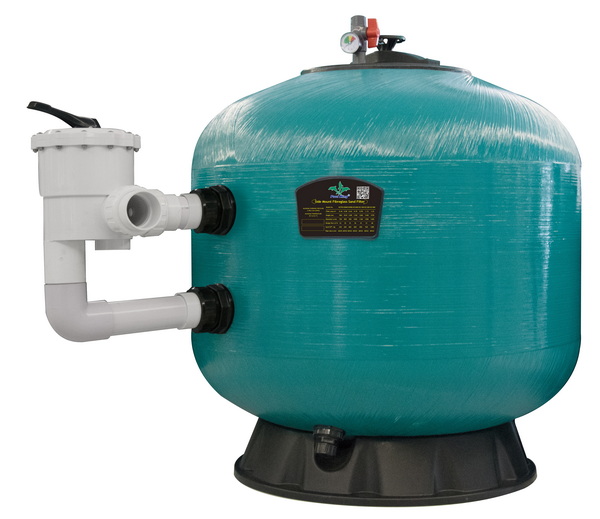
Under normal “Filter” mode, the pump draws water from the skimmer and main drain, pushes it into the filter tank, and then returns the clean water back to the pool through the return lines. The filter media (sand, DE powder, or cartridges) traps suspended dirt, oils, and fine particles as the water passes through.[2][5][6]
- In a sand filter, water flows from the top of the tank down through a bed of sand and exits through laterals at the bottom before returning to the pool.[6]
- In a DE filter, water enters one side of the tank, passes through coated grids or fingers, and exits at the opposite side or top of the tank.[3]
- In a cartridge filter, pleated cartridges trap debris while water flows from the outside of each element to the inside, then out to the return line.[5][2]
On a multiport valve, the “Waste” or “Drain” position is a bypass route that sends all water from the pump straight out the waste port instead of into the filter tank. Technically, the internal rotor and passages redirect flow from the pump port directly to the waste port, leaving the filter port closed.[7][8][1][5][3]
- The water does not enter the tank and does not pass through the media at all when the handle is on Waste.[4][1]
- The water usually exits through a backwash or waste hose connected to a drain, sewer, or suitable discharge point away from the pool and building.[9][10]
The waste setting is not for everyday use; it is a special‑purpose mode to remove water and dirt quickly without loading the filter media. Typical situations include heavy debris, algae cleanup, and intentional water‑level reduction.[11][1][4][5][6]
Waste is one of the safest and fastest ways to lower water level when the pool is too full after rain, or when you need to reduce water before winterizing or maintenance. The pump pulls water from the pool and sends it straight out the waste line until you reach the desired level on the skimmer opening or tile line.[1][4][5][9][6]
After a serious algae bloom or heavy contamination (mud, silt, or fine dust), it is often better to vacuum directly to Waste instead of through the sand or DE media. This prevents the filter bed from clogging with soft algae or very fine particles and sends the dirtiest water out of the system immediately.[7][4][5][6][11]
- This is common after “shocking” a green pool, where dead algae can quickly plug the sand or DE grids if vacuumed on Filter mode.[5][7]
- Using Waste reduces the chance of debris blowing back into the pool through the returns after backwash.[12][3]
If the pool suffers a contamination event (for example, severe organic debris, extreme fine dust, or accidents where local health rules recommend water removal), Waste allows emergency discharge of the worst water without running it through the filter. Some pool owners also use Waste mode when cleaning up after storms that wash in soil and plant material.[10][6][5]
Many owners confuse the meanings of Waste, Backwash, and Rinse, but they serve different purposes in filter maintenance. Understanding the differences helps prevent cloudy water and wasted water.[2][4][6][3][5]
| Valve Mode | Flow Path Summary | Main Purpose | Does It Use Filter Media? | Typical Run Time |
|---|---|---|---|---|
| Filter | Pool → pump → filter media → return to pool aquagem+1 | Daily cleaning and circulation | Yes | Many hours per day |
| Backwash | Pool → pump → filter media in reverse → out waste line aquagem+1 | Clean sand or DE by reversing flow | Yes, in reverse | 1–3 minutes |
| Rinse | Pool → pump → media (normal direction) → waste line aquagem+2 | Resettle media and flush remaining dirt | Yes | 15–30 seconds |
| Waste | Pool → pump → waste line (media bypassed) intheswim+2 | Lower water, vacuum to waste, remove contamination | No | Until level/cleanup is done |
| Recirculate | Pool → pump → return (bypass filter) aquagem+1 | Circulate chemicals without filtering | No | Short‑term only |
Backwash reverses the water through the filter to dislodge and carry debris out to waste, while Waste bypasses the tank entirely. Rinse is a brief forward flow to settle the filter bed and send remaining dirty water to waste, preventing it from returning to the pool.[4][6][12][2][3]
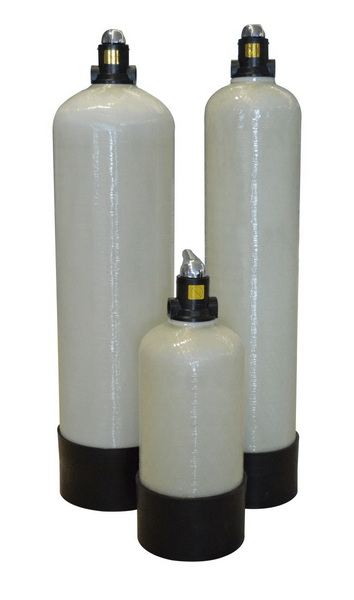
The waste line typically connects to one of three discharge points: a dedicated underground drain, a stormwater drain, or a safe landscaped area, depending on local codes. Some regions require that backwash and waste water be routed to sanitary sewer or an approved disposal point instead of the street or natural waterways.[9][10]
- Always check local rules before sending chlorinated or chemically treated pool water into storm drains or onto public property.[10][9]
- Avoid discharging near building foundations or neighbor property to prevent flooding, erosion, or chemical damage to plants and soil.[9][10]
Correct use of the Waste position protects the valve, filter, and pump while preventing line damage or water hammer. A basic safe procedure applies to most top‑ or side‑mount multiport valves.[6][2][3]
1. Turn off the pump completely
- Never move the multiport handle while water is flowing, or you can damage the internal rotor or spider gasket.[14][2][3]
2. Attach and secure the waste/backwash hose
- Clamp the hose to the waste port and route it to a safe drainage area or approved sewer point.[13][1][9]
3. Set the handle to Waste
- Press down on the handle and rotate it to the Waste/Drain notch; ensure it locks fully into position.[2][3]
4. Restart the pump and monitor flow
- Confirm strong flow through the waste hose and check the discharge point for flooding or erosion.[1][5][13]
5. Watch the pool water level closely
- Do not walk away; stop when the water reaches the desired level, normally halfway up the skimmer opening.[5][6][1]
6. Turn off the pump again before changing modes
- Then move the handle back to Filter or to Rinse (if following a backwash cycle) and restart.[3][6][2]
Misuse of the Waste setting can lead to lost water, cloudy water, and even damaged valves or pumps. Awareness of typical mistakes reduces service calls and extends equipment life.[14][4][6][2][3]
- Forgetting the valve is on Waste
- If the pump runs in Waste by accident, the pool can lose a lot of water and possibly expose skimmers or main drains, risking pump damage from running dry.[4][5]
- Switching positions with the pump running
- Turning the handle under pressure wears or tears the internal spider gasket, which can cause water to leak constantly out the waste line even when set to Filter.[14][3]
- Vacuuming to Filter instead of Waste during heavy algae
- This can clog the sand or DE and cause dead algae to blow back into the pool from the returns, forcing repeated cleanings.[12][7][5]
Most sand and DE filters that use a multiport valve have a dedicated Waste position, but cartridge systems are different. Owners sometimes add a manual waste line or valve to mimic this function with cartridge filters.[15][2][3][9]
- Sand filters: Waste is built into the multiport; you can backwash then switch to Waste or Rinse as needed.[6][2]
- DE filters: Multiport valves function similarly to sand, but you must also replace DE powder after backwash and waste operations.[3][6]
- Cartridge filters: Typically lack backwash and Waste settings; draining or vacuuming to waste may require extra plumbing valves or temporary hose setups.[15][9]
Because Waste literally throws water away, it should be used thoughtfully, not as an everyday solution. Combining smart chemistry, routine filtration, and targeted Waste use makes pool care more efficient and environmentally responsible.[10][4][5][6]
- Use Filter as the default mode, and maintain proper run times and circulation.[2][5]
- Use Backwash + Rinse first when the goal is simply to clean a dirty sand or DE filter, since this reuses more water and still removes debris to waste.[12][6][2]
- Save Waste for:
- Lowering water level
- Vacuuming heavy debris or dead algae
- Removing water after specific contamination events
- Occasional troubleshooting when you must bypass the filter media[11][7][5][6]
Waste mode on a pool filter is a special bypass function that sends water directly from the pump to the waste line, skipping the filter tank and media completely. Used correctly, it is ideal for lowering water level, vacuuming heavy debris and algae, and removing contaminated water without clogging the sand, DE grids, or cartridges. Pool owners should use Waste sparingly, follow strict safety steps when changing valve positions, and comply with local discharge regulations to protect both their equipment and the environment.[7][1][4][5][9][6][10][2][3]
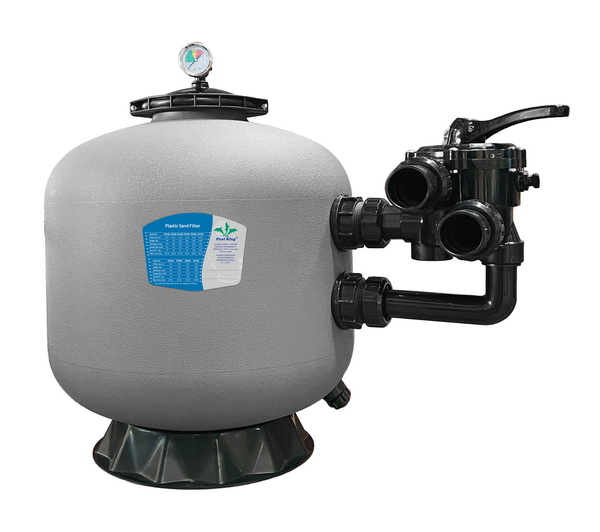
The Waste setting redirects water from the pump straight out the waste port or backwash hose, completely bypassing the filter tank and media. It is primarily used to lower water level or to vacuum dirty water and debris directly out of the pool without passing through the filter bed.[1][7][4][5][6]
Use Waste when you want to remove water from the pool or when vacuuming heavy algae, mud, or very fine debris that might clog the sand or DE media. Use Backwash when your main goal is to clean the existing filter media by reversing flow and washing collected dirt out to the waste line.[11][7][5][6][2]
Waste itself does not harm the filter, but changing the multiport valve position while the pump is running can damage the spider gasket and cause internal leaks. Running on Waste unattended can also drop water level too far and cause the pump to run dry, risking pump damage.[4][5][3][14]
Waste water is often discharged to a dedicated drain, sanitary sewer connection, or a suitable landscaped area, depending on local regulations. Always follow local codes and avoid sending chlorinated or chemically treated water directly into natural waterways or neighbor property.[9][10]
Most cartridge filters do not have a built‑in Waste position because they typically use simple in‑and‑out valves without a multiport head. However, many owners or installers add external valves or plumbing tees so the system can vacuum or drain to waste without sending water through the cartridges.[15][2][9]
If water flows out of the waste line during normal Filter mode, the internal spider gasket or rotor inside the multiport valve is likely worn or damaged and no longer sealing the waste port. This common issue usually requires replacing the gasket or key‑seal assembly to restore proper sealing between Filter and Waste paths.[3][14]
[1](https://intheswim.com/blog/multiport-valve-settings-demystified.html)
[2](https://www.aquagem.com/news/how-to-use-multiport-valve-on-pool-filter)
[3](https://lesliespool.com/blog/how-to-use-a-multiport-valve.html)
[4](https://www.poolking.co/a-news-what-does-waste-mean-on-a-pool-filter.html)
[5](https://hollandiagardens.com/pool-filter-settings-explained/)
[6](https://www.poolzonegc.com.au/post/how-to-backwash-my-pool-for-clean-and-clear-water)
[7](https://www.youtube.com/watch?v=h3TN8RRieD8)
[8](https://www.inyopools.com/HowToPage/how_a_multiport_valve_operates.aspx?CommentPage=1)
[9](https://www.inyopools.com/HowToPage/how_to_add_a_pool_waste_line.aspx?CommentPage=1)
[10](https://www.youtube.com/watch?v=F8lCSLRweE0)
[11](https://www.facebook.com/groups/637529959937311/posts/1444775232546109/)
[12](https://www.youtube.com/watch?v=Sh8yegOHHag)
[13](https://www.facebook.com/swimuniversity/videos/heres-how-to-backwash-a-sand-filter-with-a-multiport-valve/412984104900943/)
[14](https://www.reddit.com/r/swimmingpools/comments/13xs9vz/why_is_water_going_to_backwashwaste_pipe/)
[15](https://www.facebook.com/groups/637529959937311/posts/2523330101357278/)
[16](https://www.youtube.com/watch?v=vVMCrOTb3QQ)
[17](https://www.facebook.com/groups/637529959937311/posts/2646016132422007/)
[18](https://www.youtube.com/watch?v=dE9LD3_1nyw)
[19](https://www.youtube.com/watch?v=R29BN9R895A)
[20](https://www.reddit.com/r/pools/comments/ut6t97/just_realized_i_had_my_filter_set_to_backwash/)


