
Views: 222 Author: Tina Publish Time: 2026-01-03 Origin: Site


Content Menu
● What “Backwashing” Really Means
● When You Should Backwash an Intex Sand Filter
● Safety Prep Before Backwashing
● Step‑by‑Step: How to Backwash an Intex Sand Filter
>> 1. Turn Off the Pump and Check Water Level
>> 2. Attach and Route the Backwash Hose
>> 3. Turn the Valve to “Backwash”
>> 4. Run the Backwash Cycle Until Water Runs Clear
>> 5. Turn Off Pump and Switch to “Rinse”
>> 7. Return to “Filter” and Restart
● Special Notes for Intex Cartridge Filters
● How Often to Backwash and Common Mistakes
● OEM‑Ready Filtration Upgrades for Intex‑Style Pools
>> 1. How long should I backwash my Intex sand filter?
>> 2. Do I have to rinse after backwashing an Intex filter?
>> 3. Can I backwash an Intex cartridge filter?
>> 4. How often should I backwash my Intex sand filter?
>> 5. Why does my pressure stay high after backwashing?
>> 6. Where should the backwash water go?
Backwashing an Intex pool filter is mostly about turning off the pump, setting the valve to “Backwash,” running it until the water runs clear, then switching to “Rinse” before returning to “Filter.” Doing it in the correct order keeps your Intex sand filter efficient, prevents damage to the valve, and helps maintain clear pool water.[1][2]
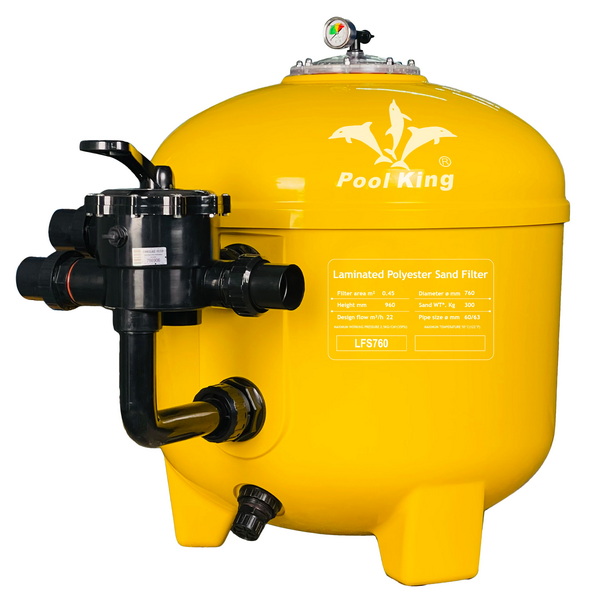
Backwashing is the process of reversing water flow through a sand filter bed to flush trapped dirt, oils, and debris out to waste instead of sending them back into the pool. In Intex sand filters, the multiport valve has a dedicated “Backwash” position that sends water from the bottom up through the sand and out a drain port or backwash hose.[2][4][1]
- In normal filter mode, water flows from top to bottom through the sand and back to the pool, trapping particles in the sand bed.[4][2]
- In backwash mode, water flows bottom to top, lifting and agitating the sand so accumulated debris is carried out through the waste port or drain fitting, cleaning the media.[1][2]
Knowing when to backwash is just as important as knowing how. Intex recommends backwashing whenever the pressure gauge moves significantly into the yellow or rises several PSI above the clean starting pressure. Over‑backwashing can reduce filtration efficiency, while under‑backwashing will leave the sand bed clogged and the flow weak.[5][2][4][1]
- As a rule of thumb, many pool owners backwash when the filter pressure rises 20–25% above the clean pressure recorded after a fresh sand change or thorough backwash.[6][2]
- Intex also notes that new sand often needs more frequent backwash cycles during the initial break‑in period because fine dust and heavy first‑season debris load the media quickly.[5][1]
Backwashing an Intex filter is straightforward, but skipping basic safety steps can damage the valve or cause leaks. Always shut the pump off and release pressure before moving the multiport handle.[2][1]
- Turn off power at the pump's switch and, for extra safety, at the GFCI outlet or breaker.[2][1]
- Never move the multiport valve handle while the pump is running or when water is actively flowing, because that can tear the internal gasket and cause internal bypassing.[4][2]
This section focuses on typical Intex sand filter pumps with a 4‑way or 6‑way valve (models like SF60110, SF70110, SF80110, SX925, etc.). Always check the specific model label and manual, but the core steps are similar.[7][5][1]
Before backwashing, make sure your pool water is high enough, because you will send a noticeable amount to waste.[2]
- Confirm the water level is at least halfway up the skimmer opening or slightly higher; otherwise, the skimmer may suck air once the level drops.[2]
- Turn the pump OFF at the controller, then confirm the pressure gauge has dropped back to zero or near zero, indicating no active pressure in the system.[1][2]
Most Intex sand filters have a drain or waste port where you connect a backwash hose to carry dirty water away from the pool area.[1][2]
- Slide the hose over the waste or drain outlet and secure it with the appropriate clamp so it cannot blow off under pressure.[2]
- Route the hose to a suitable drainage area in line with local regulations, away from your pool foundation and neighboring properties.[6][2]
With the pump OFF, press down on the multiport valve handle and rotate it until it clicks into the “Backwash” position.[2][1]
- Intex support instructions emphasize switching the pump off before changing from Filter to Backwash, then loosening the cap on the drain or waste port if one is installed.[1]
- Confirm the handle is firmly locked into the Backwash notch and the sight glass (if fitted) points toward the backwash line, not toward the return line.[2][1]
Now you are ready to flush the sand bed. Turn the pump on and watch the water coming out of the hose or sight glass.[2][1]
- At first, water may appear dark, cloudy, or full of debris; let it run for about one minute or until the discharge water runs clean and free of visible dirt.[9][1][2]
- Many Intex owners find that 1–2 minutes of backwashing is enough under normal conditions, but very dirty sand may take a little longer; stop once the water is consistently clear.[1][2]
Once the backwash water is clear, turn the pump OFF again before touching the valve.[2][1]
- Rotate the multiport handle from “Backwash” to “Rinse” while pressing down gently, ensuring it clicks into place.[1][2]
- Intex's 6‑way valve instructions call for rinsing for at least one minute to settle the sand back into a proper bed and flush any remaining debris to waste instead of back into the pool.[1]
Turn the pump back on with the valve on Rinse. Water will again go out through the waste port or backwash hose, not to the pool.[2][1]
- Let it run for 30–60 seconds; this pushes clean water through the filter in the normal direction, seating the sand and clearing the plumbing of loose particles.[1][2]
- After rinsing, turn the pump off once more and close any drain caps or fittings on the valve outlet as instructed in your manual.[5][1]
Now that the sand is clean and settled, you can return the system to normal filtration mode.[2][1]
- Rotate the handle back to “Filter” with the pump OFF, making sure it locks into the proper position.[1][2]
- Turn the pump ON and check for leaks around the multiport, backwash hose connection, and unions, as well as confirming normal flow at the return jet.[2][1]
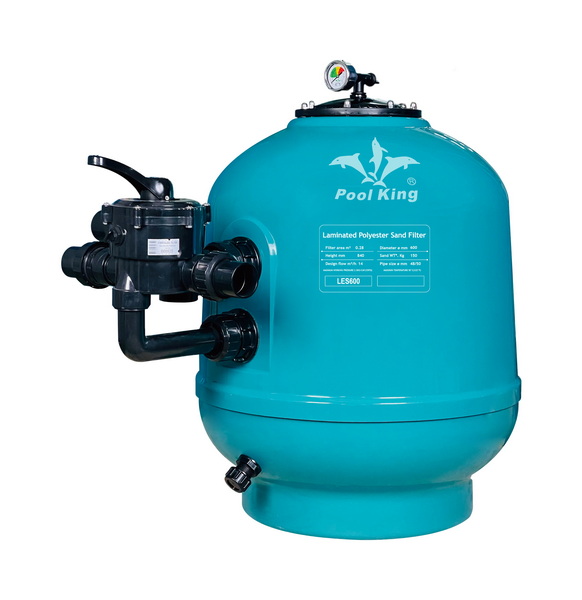
Some Intex pools come with cartridge filter pumps rather than sand filters. These do not actually “backwash” in the same way.[11][12]
- Cartridge filters are usually cleaned by removing the cartridge and hosing it off or soaking it in a cleaner; pool experts note that backwashing is specific to sand or DE filters, not cartridges.[13][11]
- If the label or manual describes your pump as a “cartridge” model without a multiport valve or Backwash setting, follow the cartridge cleaning cycle instead of attempting to backwash.[12][11]
Getting the schedule right will extend the life of your sand, valve, and pump while keeping the water clear.[4][2]
- Many Intex users backwash once every few weeks during normal summer use or whenever the pressure gauge moves noticeably into the yellow zone above the clean baseline.[5][1]
- In very dirty or algae‑affected pools, multiple short rounds of backwash and rinse (e.g., one minute backwash, one minute rinse, repeated up to three times) are often recommended to prevent debris blow‑back.[14][2]
Common mistakes to avoid:
- Moving the valve handle while the pump is running, which can damage the internal spider gasket and cause channeling or leaks.[4][2]
- Backwashing too frequently, which wastes water and can reduce filtration if the sand never develops a thin dirt layer that actually improves fine particle capture.[4][2]
For brands, wholesalers, and pool kit manufacturers, upgrading from small cartridge pumps to robust sand or DE systems is a common OEM strategy to improve performance and customer satisfaction.[12][6]
- Modern smart‑machined sand filters with quality #20 silica media, efficient pumps, and LED‑lit control panels can be packaged as complete “plug‑and‑play” filtration sets for above‑ground pool lines.[6][2]
- OEM partners often look for factories that can customize tank sizes, multiport valves, and accessories (such as hoses, LED lights, and skimmers) to match local market needs and branding requirements for Intex‑style above‑ground pools.[5][1]
Backwashing an Intex pool filter is a simple but critical maintenance task: turn the pump off, switch to Backwash, run until the water runs clean, then use Rinse before returning to Filter. By checking your pressure gauge regularly, avoiding valve changes under pressure, and following a consistent backwash‑and‑rinse cycle, you keep your Intex sand filter working efficiently and your pool water clear and inviting throughout the season.[4][1][2]
Most Intex sand filters need about one minute of backwashing, or until the water from the waste line or sight glass appears completely clear. Very dirty filters might require up to two minutes, but extended backwashing beyond clear water is usually unnecessary and wastes water.[9][4][1][2]
Yes, Intex and general sand filter guidance advise running a Rinse cycle for 30–60 seconds after backwashing to settle the sand and flush debris from the clean side of the filter before sending water back to the pool. Skipping the rinse step increases the risk of cloudy water or dirty blow‑back through the return jets.[14][1][2]
No, cartridge filter systems are not designed to be backwashed; instead, the cartridge is removed and cleaned with a hose or specialized cleaner. If your Intex pump has a cartridge and no multiport valve with Backwash and Rinse positions, follow the cartridge cleaning instructions in the manual rather than attempting a backwash.[13][11][12]
Backwash whenever the pressure gauge climbs about 20–25% above the clean starting pressure or moves into the yellow zone on Intex's color scale. Under typical residential use, that often works out to every two to four weeks, with more frequent cycles during heavy use, storms, or algae treatment.[5][4][1][2]
If pressure does not drop close to the normal clean PSI, the sand bed may be heavily clogged, the valve or laterals could be damaged, or the system may be undersized for the pool. In those cases, a deep clean (opening the tank and washing the sand or replacing it) or a full inspection of the valve, laterals, and plumbing is recommended.[15][6][2]
Backwash water should be discharged according to local codes, typically onto a suitable drainage area or an approved waste line, never directly into storm drains or neighboring property. Always route the hose so the flow does not undermine your pool structure, wash out soil, or flood nearby patios or decks.[6][2]
[1](https://intexsupport.com/en/backwash-for-the-sand-filter-pump/a-964/)
[2](https://www.swimuniversity.com/backwash-sand-filter/)
[3](https://www.youtube.com/watch?v=ky_8PGT_bj0)
[4](https://www.youtube.com/watch?v=r8soaqt1Pn0)
[5](https://heatpumps4pools.com/myfiles/file/Intex-SX925-user-manual.pdf)
[6](https://diy.inyopools.com/article/when-to-backwash-a-pool-filter/)
[7](https://images.thdstatic.com/catalog/pdfImages/d1/d1620f23-e594-46b8-9133-69d95c2a6de9.pdf)
[8](https://www.youtube.com/watch?v=HmYlGuX5o1k)
[9](https://www.youtube.com/watch?v=WhXK0nR4h1Q)
[10](https://www.youtube.com/watch?v=WeX0iQi7_a0)
[11](https://www.youtube.com/watch?v=Ki0lngZuWMU)
[12](https://intexcorp.com/cartridge-filter-pumps/c1000-cartridge-filter-pump-w-gfci-110-120-volt/)
[13](https://www.facebook.com/groups/1407260559603442/posts/3828243370838470/)
[14](https://www.reddit.com/r/AboveGroundPools/comments/1f2v8wa/how_to_backwash_and_rinse_an_intex_sand_filter/)
[15](https://www.reddit.com/r/pools/comments/1d7z62u/cleaning_vs_backwashing_de_filter/)
[16](https://www.youtube.com/shorts/Ztf1xocIEEs)
[17](https://www.facebook.com/groups/637529959937311/posts/1980161015674192/)
[18](https://www.facebook.com/groups/637529959937311/posts/2611432202547067/)
[19](https://www.youtube.com/watch?v=LtSygvNh_ik)
[20](https://www.youtube.com/watch?v=JDfOP3IQwDg)


