
Views: 222 Author: Tina Publish Time: 2026-01-03 Origin: Site


Content Menu
● Safety Preparation Before Adding Sand
● Step‑by‑Step: How to Add Sand to a Pool Filter
>> Step 1: Confirm Sand Type and Quantity
>> Step 2: Inspect and Clean the Filter Tank
>> Step 3: Fill the Tank Partly with Water
>> Step 4: Cover and Center the Standpipe
>> Step 5: Pour New Sand Slowly
>> Step 6: Reinstall the Valve or Lid
>> Step 7: Backwash, Rinse, and Start Filtering
● Maintenance Tips After Adding Sand
● FAQs About Adding Sand to a Pool Filter
>> 1. How often should pool filter sand be replaced?
>> 2. Can I use any kind of sand in my pool filter?
>> 3. How do I know how much sand my filter needs?
>> 4. Why do I need to fill the tank with water before adding sand?
>> 5. What happens if sand gets into the pool after I add new sand?
>> 6. Is it necessary to backwash immediately after adding new sand?
Adding sand to a pool filter is all about choosing the right #20 silica sand, preparing the system safely, and then filling the tank slowly so the standpipe and laterals are not damaged or clogged. When done correctly, new sand restores strong filtration, lowers pressure, and helps keep your customer's pool water crystal clear.[1][2][3]
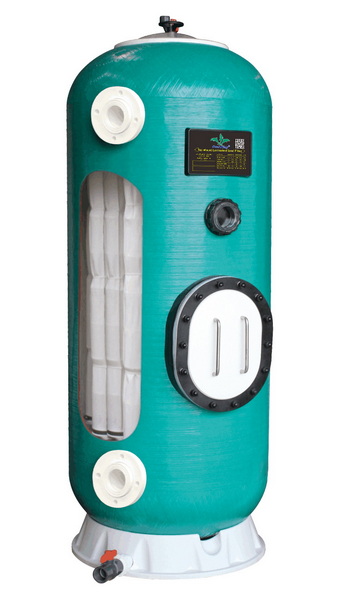
Most modern sand pool filters use a specific, sharp‑edged silica sand that has been washed and graded for pool use. Using the wrong sand can cause cloudy water, poor filtration, or even damage inside the filter tank.[2][3][1]
- The standard media is #20 silica sand, with a grain size around 0.45–0.55 mm, labeled “pool filter sand” or “20 grade.”[3][1][2]
- #20 pool filter sand can typically trap debris as small as about 20 microns, which is sufficient for most residential pools.[6][1][3]
- Bags are usually sold in 50 lb (approximately 23 kg) units, so homeowners must check the filter label or manual to know the exact number of bags required.[7][2][6]
Pool filters are pressure vessels, so safe shutdown and depressurizing steps are critical before opening the tank or handling sand. Sudden release of trapped pressure can cause serious injury or equipment damage.[8][9][10]
- Always shut off the pump at the control panel and, for extra safety, switch off or unplug power so the system cannot start during service.[10][11][8]
- Open the air relief valve and wait until the pressure gauge falls to zero and air has fully escaped from the system.[9][8][10]
- Close skimmer and return valves as needed, and drain the filter tank using the bottom drain plug to remove water before working inside.[12][11][2]
This section assumes the old sand has been removed; many service guides recommend vacuuming or scooping out old sand, then rinsing and inspecting laterals before refilling.[13][2][12]
Before any sand goes into the tank, the homeowner must confirm both the correct media and the required weight. Different filter models specify exact amounts for proper filtration and hydraulic performance.[13][2][12]
- Check the filter's label or owner's manual for the specified sand type and capacity in pounds or kilograms.[2][3][13]
- For most residential sand filters, the only approved media is #20 silica sand with particle size about 0.45–0.55 mm.[3][1][2]
- Buying one extra bag is often recommended to ensure there is enough media to reach the correct level in the tank.[6][7][2]
After the old sand has been removed, the inside of the tank and the internal plumbing must be checked carefully. Damaged laterals or standpipes can cause sand to blow into the pool.[4][2][13]
- Rinse the inside of the tank with a garden hose to remove dirt, remaining sand grains, and scale, paying extra attention to the bottom around the laterals.[14][2][13]
- Inspect the lateral assembly and standpipe for cracks, missing pieces, or loose connections, replacing any damaged parts before proceeding.[4][2][13]
- Make sure the drain plug is reinstalled and tightened after rinsing, so water and sand will not leak during operation.[11][4][13]
Adding some water before sand helps cushion the fall of the grains and protects the internal components. This step is recommended in many professional guides.[15][14][2]
- Close the bottom drain and add water until the laterals and hub at the bottom are fully covered, usually about one‑third to halfway up the tank.[14][15][2]
- The water acts as a cushion, absorbing the impact of new sand so the plastic laterals are less likely to crack or shift.[15][14][2]
- During this step, verify again that the standpipe is seated correctly in the center of the tank and firmly attached to the bottom assembly.[12][2][13]
Keeping sand out of the standpipe is essential to prevent sand from going directly into the return lines and back into the pool. A simple temporary cover solves this problem.[5][14][13]
- Place a plastic cup, rubber cap, or tightly packed rag over the top opening of the standpipe to block sand from entering.[5][14][13]
- Some technicians also wrap tape around the top to hold the cover in place, especially on larger filters that require multiple bags of sand.[5][2][14]
- Ensure the standpipe remains centered as much as possible while pouring, because a tilted pipe can make it harder to reseat the multiport valve or top lid.[12][5][13]
Pouring too fast can cause standpipe movement and lateral damage, while careful, even filling creates a level sand bed for efficient filtration. Many how‑to guides recommend patience in this step.[2][13][14]
- Open the first bag and slowly pour sand into the tank, moving the bag around so the sand falls evenly around the standpipe rather than just on one side.[13][2][14]
- Continue adding bags until the sand reaches the level specified by the manufacturer, typically several inches below the top of the tank to allow for proper bed expansion during backwash.[2][12][13]
- Occasionally pause to gently level the sand by hand or with a plastic scoop, avoiding any sudden movement that might lift or twist the lateral assembly.[15][14][2]
Once the sand bed is at the correct height, the tank can be reassembled according to the filter's design. Proper alignment and sealing prevent leaks and pressure issues.[12][13][2]
- Carefully remove the cup or rag from the standpipe, ensuring no sand drops inside, then align the multiport valve or top‑mount head straight down onto the pipe.[5][13][2]
- Lubricate O‑rings as recommended and tighten clamps or lock rings evenly to the manufacturer's specifications to maintain a secure, pressure‑rated seal.[10][8][12]
- Reconnect unions, hoses, or rigid plumbing to the pump and return lines, checking that all fittings are snug but not overtightened.[11][13][12]
Fresh sand contains fine dust that must be flushed out before sending water back to the pool. Backwashing and rinsing establish a clean, settled sand bed.[13][2][14]
- Set the multiport valve to BACKWASH, open the backwash hose, and start the pump briefly to run water to waste until it runs clear in the sight glass or discharge area.[2][14][13]
- Turn off the pump, switch the valve to RINSE, and run again for a short period to resettle the bed so no sand is pushed back into the pool when returning to FILTER.[14][13][2]
- Finally, set the valve to FILTER, open all valves to the pool, prime the pump if needed, and check around the tank for leaks and normal operating pressure.[9][11][12]
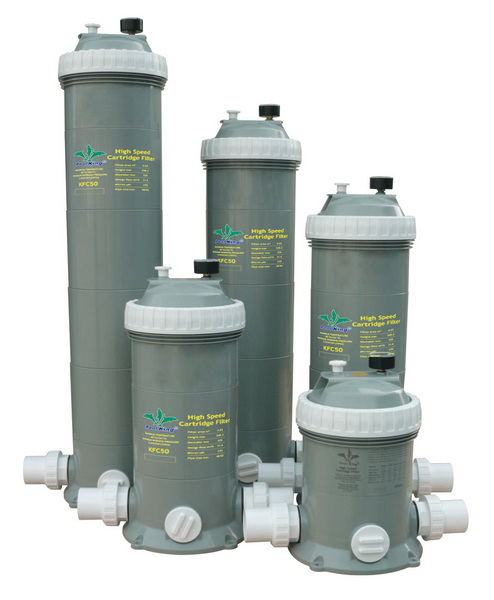
Avoiding a few frequent errors can extend the life of the sand and reduce service calls. Clear visual examples work very well to educate homeowners.[2][14][13]
- Do not substitute play sand, construction sand, or beach sand for pool filter sand, as they are not graded correctly and can cause cloudy water or damage.[7][3][2]
- Do not overfill the tank; exceeding the manufacturer's sand capacity can restrict water flow, increase pressure, and reduce backwash effectiveness.[12][13][2]
- Never open clamps or lids without first shutting off power and fully relieving pressure through the air relief valve, because trapped pressure can be dangerous.[8][9][10]
With new sand installed, regular maintenance will keep the system efficient and the water clear. Most pool professionals follow simple pressure‑based rules to schedule backwashing.[7][9][2]
- Record the clean starting pressure right after backwashing and rinsing, then backwash again whenever the pressure rises about 5–10 psi above that baseline.[10][11][9]
- Many manufacturers suggest replacing sand approximately every 3–5 years, depending on usage, water quality, and chemical balance.[3][7][2]
- Encourage homeowners to inspect the equipment area for leaks or unusual noises periodically, which may indicate flow restrictions or internal damage.[8][9][10]
Adding sand to a pool filter is a straightforward process when the correct #20 silica sand is used, internal components are inspected, and the standpipe is carefully protected and centered during filling. By following a step‑by‑step routine—safe shutdown, partial filling with water, slow sand loading, and thorough backwashing—pool owners and service professionals can restore filtration performance and extend the life of the entire circulation system.[1][3][14][13][2]
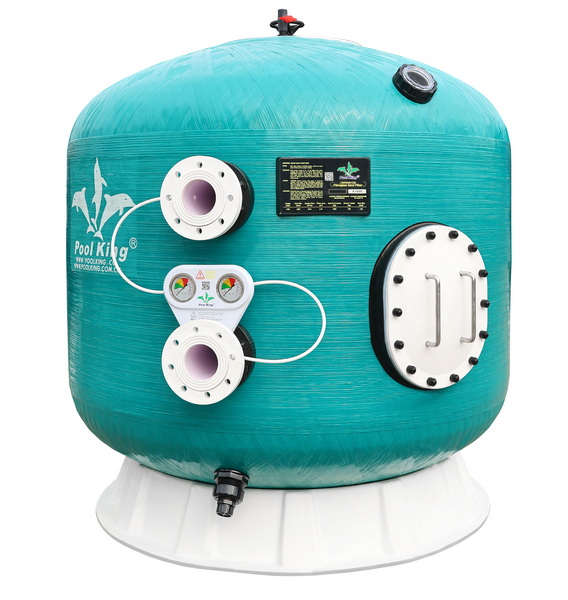
Most manufacturers and service professionals recommend changing sand roughly every 3–5 years, depending on pool usage and water conditions. Heavy bather loads, poor water balance, or frequent algae problems may require more frequent media changes to maintain good clarity.[3][7][2]
No, only #20 silica pool filter sand with grain size around 0.45–0.55 mm is approved for most standard sand filters. Using play sand, masonry sand, or beach sand can lead to clogging, high pressure, and cloudy water because these sands are not properly washed and graded.[1][7][3][2]
The required sand weight is printed on the filter tank label or in the owner's manual for each model. Typical residential filters may require anywhere from 100 to 350 lbs of #20 silica, but the exact number must match the manufacturer's specification.[7][3][12][13][2]
Adding water until the laterals are submerged cushions the impact of falling sand and reduces the risk of cracking or dislodging plastic components. This simple step also helps the sand settle more evenly, creating a flatter, more efficient filter bed.[15][14][2]
Sand returning to the pool often indicates broken laterals, a cracked standpipe, or a poorly seated multiport valve. If sand appears at return jets after new media is added, the filter should be shut down and re‑opened to inspect internal parts and confirm the standpipe and laterals are intact and correctly installed.[4][13][2]
Yes, new sand contains fine dust that must be removed through a backwash and rinse cycle before normal filtration. Skipping this step can push fines into the pool, causing temporary cloudiness and leaving the sand bed unsettled.[14][13][2]
[1](https://www.tenroadsglass.com/pool-filter-sand-grades.html)
[2](https://intheswim.com/blog/how-to-change-pool-filter-sand-2.html)
[3](https://blog.intheswim.com/pool-filter-sand-/)
[4](https://www.youtube.com/watch?v=v9ghBgNkv-4)
[5](https://www.youtube.com/watch?v=3JYp7B41tgM)
[6](https://lesliespool.com/pool-filter-sand-20-grade-silica-50-lbs/401219.html)
[7](https://aquapure-il.com/pool-filter-sand-no-20-silica-50-lb-bag.html)
[8](https://www.thepoolfactory.com/blogs/pool-care/how-to-operate-a-cartridge-filter-system)
[9](https://news.poolandspa.com/the-basics-of-swimming-pool-filters/)
[10](https://www.pentair.com/en-us/pool-spa/education-support/homeowner-support/pool-filter-product-safety-help-center/clean-clear-product-support.html)
[11](https://mrpoolman.com.au/blogs/news/pool-filters-the-ultimate-guide)
[12](https://www.inyopools.com/HowToPage/how_to_change_sand_in_a_sand_filter.aspx?CommentPage=1)
[13](https://www.thepoolfactory.com/blogs/pool-care/how-to-change-the-sand-in-a-pool-filter)
[14](https://www.swimmingpool.com/maintenance/pump&filter/changing-sand-in-your-pool-filter/)
[15](https://www.reddit.com/r/swimmingpools/comments/c5fyrs/how_to_change_sand_in_this_sand_filter/)
[16](https://www.walmart.com/ip/U-S-Silica-SILURIAN-20-Grade-Optimal-Filtration-Angular-Pool-Filter-Sand/6427413857)
[17](https://www.youtube.com/watch?v=ZNH9JLufzUM)
[18](https://www.pentair.com/en-us/pool-spa/education-support/professional-support/pool-and-spa-education/4-safety-tips-for-servicing-pool-filters.html)
[19](https://www.ruralking.com/20-grade-pool-filter-sand-50-lb-bag-4151)
[20](https://www.youtube.com/watch?v=-2goYByAtTE)


