
Views: 222 Author: Tina Publish Time: 2025-10-26 Origin: Site


Content Menu
● Introduction to Pentair Pool Pumps
● Understanding Pentair Pump Control Modes
● Safety First: Precautions Before Manual Operation
● Step-by-Step: How to Turn On a Pentair Pool Pump Manually
>> Step 2: Access the Control Panel
>> Step 3: Check Prime Condition
>> Step 5: Adjust Manual Speed
● Using EasyTouch or IntelliCenter for Manual Operation
● Priming and Troubleshooting Common Issues
● Resetting and Re-enabling Automatic Operation
● Routine Maintenance Tips for Pentair Pool Pumps
● Recommended OEM Accessories and Replacement Parts
● FAQs
>> 1. How do I know my Pentair pump is running in manual mode?
>> 2. How can I manually prime my Pentair pump?
>> 3. What if my Pentair pool pump won't start?
>> 4. Can I override the EasyTouch controller to turn on my pump?
>> 5. What RPM should I use for regular pool filtering?
Maintaining a swimming pool requires consistent water circulation, which keeps water filtered, balanced, and free of debris. Among the many pool pump brands available, Pentair stands out for its reliability and advanced programmable controls. However, sometimes you may need to override automation or manually control the pump – for cleaning, emergencies, or troubleshooting.
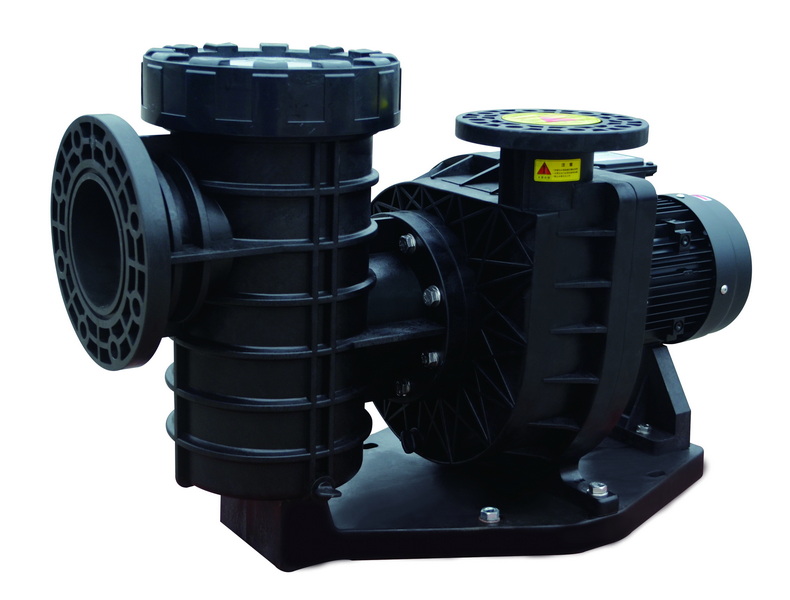
Pentair pool pumps are designed with variable speed technology, offering energy efficiency and precise control. The most common series include:
- IntelliFlo and IntelliPro Variable Speed Pumps
- SuperFlo VS
- WhisperFlo VST
- Sta-Rite IntelliPro (OEM version for Pentair systems)
Each can operate in automatic, manual, or service modes depending on settings and control panel configuration.
Manual operation is ideal when:
- The automation panel is malfunctioning.
- You need to prime or test the pump.
- Performing maintenance (like cleaning filters or baskets).
- Running the pump independently outside programmed schedules.
Pentair variable speed pumps often connect to control systems such as EasyTouch or IntelliCenter. These have three primary operating modes:
| Mode | Description |
|---|---|
| Auto | Runs based on pre-programmed schedule and automation commands. |
| Service | Disables automation and allows direct manual control via the pump keypad or control panel. |
| Timeout | Manual control for a limited time (usually 3 hours) before reverting to Auto. |
To manually run your Pentair pump, switch from Auto to Service or Timeout mode using the control panel or by pressing the Mode button.
Before interacting with any Pentair pool pump manually:
- Turn off power at the circuit breaker for safety when opening the pump lid.
- Make sure the pump basket and lid O-ring are clean and properly lubricated.
- Verify that all suction and return lines are open.
- Ensure water level in the pool is adequate – below skimmer intake may lead to air suction.
Make sure the breaker for the pool pump is switched ON. Most Pentair pumps require 115/230V depending on the model. If your electrical panel has labeled breakers, switch the one marked *Pump* to ON.
Your pump may be connected to a Pentair EasyTouch or IntelliCenter system. If the pump is standalone, use the built-in keypad directly on the motor housing.
- On EasyTouch: Press the *Mode* button until the system enters Service Mode.
- On the Pump Keypad: Use the *Start/Stop* and *Speed* buttons for direct control.
Before running, ensure the pump is primed. Priming means filling the pump housing with enough water to create suction. To prime manually:
1. Turn off power at the breaker.
2. Remove the pump lid by loosening the clamp.
3. Fill the housing completely with water from a garden hose.
4. Clean and lubricate the O-ring.
5. Secure the lid tightly, ensuring no air gaps.
Once filled and secured:
1. Turn the power back ON.
2. Press Start/Stop on the pump keypad or Pool on the EasyTouch panel.
3. On IntelliFlo or SuperFlo pumps, select a speed (e.g., Speed 1, Speed 2) and press *Start*.
The pump will run in manual mode, typically priming at full speed (3000 RPM) before dropping to programmed speed (about 2000 RPM).
According to Pentair Intelliflo user guides, during priming:
- The pump will gradually fill the lines and expel air.
- Expect a temporary surge in noise and bubble release from pool jets.
- Once fully primed, the RPM reduces automatically to the active manual mode speed.
Press Speed + or - buttons on the IntelliFlo display to raise or lower RPM.
Typical operation settings:
- Low circulation: 1200–1600 RPM
- Standard filtration: 2000–2400 RPM
- Manual vacuuming: 2800–3200 RPM
Screen displays “Manual Mode” during operation, meaning schedules are overridden.
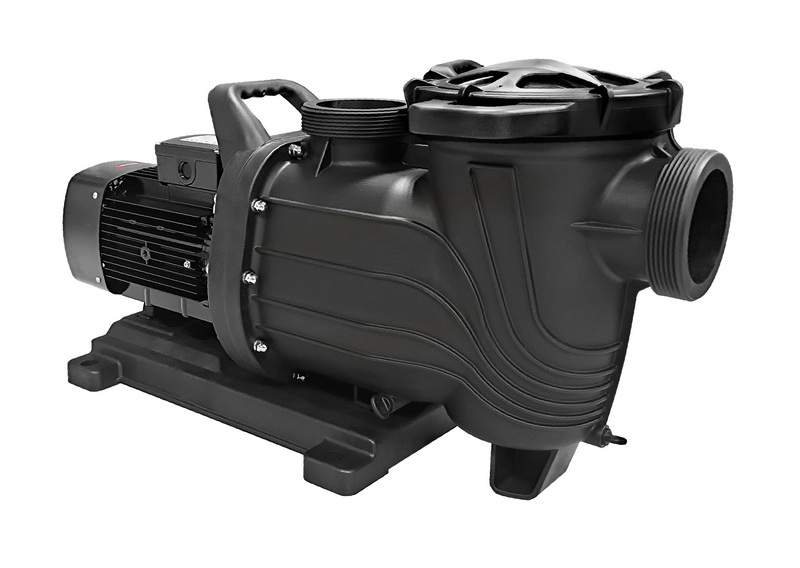
If your pump is integrated with a Pentair EasyTouch control system, you can control it manually through the panel.
Steps:
1. Press the Mode button to change from *Auto* to *Service*.
2. Now the system accepts manual inputs.
3. Press the Filter Pump button (or the circuit linked to the pump). The green LED will light up.
4. To turn off, press *Filter Pump* again or switch back to *Auto* mode.
For temporary manual operation (up to 3 hours), select Timeout Mode. This allows you to run the pump briefly for cleaning or testing, then it automatically reverts to scheduled programming.
If your Pentair pump fails to start or prime during manual mode, here's what to check:
- Low Water Level: Ensure water covers at least half of the skimmer's height.
- Air Leaks: Check O-rings, fittings, and suction-side unions for cracks.
- Blocked Impeller: Debris in the basket can block water flow.
- Faulty Capacitor: Older SuperFlo models may fail to start due to a dead capacitor.
- Dirty Filters: High filter pressure may restrict output and stress the pump.
Once your manual operation is complete:
1. Press Stop on the IntelliFlo keypad, or deactivate the *Filter Pump* circuit on EasyTouch.
2. On the control panel, switch back from Service to Auto mode.
3. Confirm any scheduled programs resume (visible on the screen if connected to automation).
If the system fails to return automatically, press *RUN/STOP* once or toggle the breaker to reset the communication link.
Regular care extends the lifespan of your Pentair pool pump:
- Clean the strainer basket weekly.
- Inspect lid O-rings monthly for cracks or flattening.
- Lubricate seals with silicone grease, not petroleum.
- Backwash or rinse filters according to pressure readings.
- Keep ventilation clear—remove leaves or obstructions near the motor housing.
For better pump performance, consider using Pentair original accessories:
| Component | Recommended Model | Function |
|---|---|---|
| Pump Lid O-Ring | Pentair 357100 | Prevents air leaks during sealing |
| Strainer Basket | 355318S | Filters out debris before impeller |
| Variable Speed Drive | IntelliFlo3 VSF Drive | Digital control and manual override |
| Seal Kit | 071734S | Maintains water-tight motor seal |
Turning on a Pentair pool pump manually is a straightforward process once you understand the control systems involved. Whether you're using the pump's own keypad or a Pentair EasyTouch control station, the manual mode gives you full operational flexibility for cleaning, testing, or troubleshooting. Always ensure proper priming and water level before starting the pump to avoid airlocks or overheating. Regular maintenance—including cleaning the strainer basket, checking O-rings, and lubricating seals—keeps your filtration system performing smoothly for years.
If you're managing a pool filtration system for residential or commercial applications and looking for premium-quality pumps, sand filters, LED lights, and pool accessories, our factory provides OEM and customized filtration solutions integrating intelligent automation for global brands and pool equipment distributors.
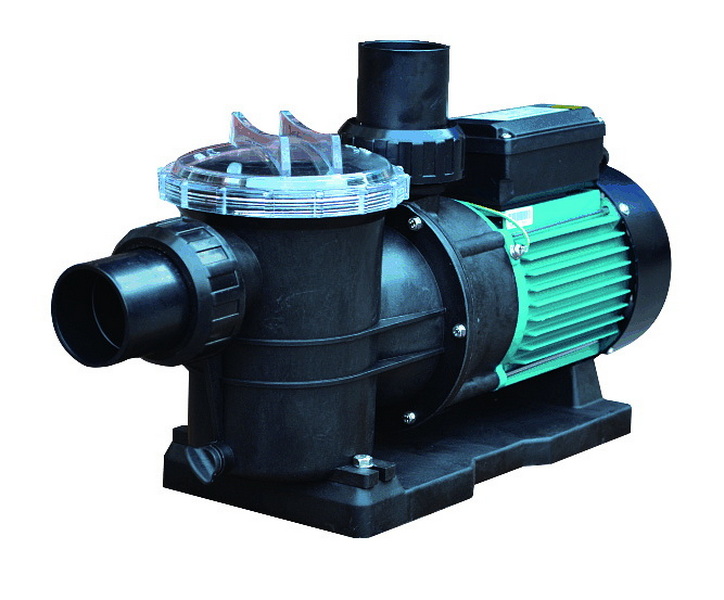
When set to manual, the pump display will show “Manual Mode” and continue running independently of your preset schedules. You can adjust speed via the keypad.
Turn off the power, remove the lid, fill the pump pot with water, fasten the lid, and restart. Watch for bubbles to clear through the return jets as water circulation stabilizes.
Check the power connection and breakers, clean basket debris, verify prime, and inspect the capacitor or drive faults. If necessary, consult the error code displayed.
Yes. Press the “Mode” button to switch from Auto to Service or Timeout mode. Then, press the Filter Pump button to start or stop the motor manually.
A balanced speed of 2000–2400 RPM ensures optimal circulation and energy efficiency. Low speeds (1200–1500 RPM) are ideal for maintaining water clarity when not in heavy use.
[1](https://www.youtube.com/watch?v=6sksQBJBBPk)
[2](https://www.pentair.com/content/dam/extranet/nam/pentair-pool/residential/pumps/intelliflo3-vsf/manuals/users-guide/intelliflo3-pro3-vsf-users-guide.pdf)
[3](https://www.youtube.com/watch?v=cHIOqHyeTr4)
[4](https://www.pentair.com/content/dam/extranet/nam/pentair-pool/residential/pumps/superflo/user-manuals/superflo-pump-manual-english.pdf)
[5](https://www.reddit.com/r/swimmingpools/comments/uy83gp/pentair_easytouch_control_panel_how_to_turn_off/)
[6](https://www.pentair.com/content/dam/extranet/nam/pentair-pool/residential/pumps/archive/intelliflo-vsf/intelliflo-vsf-om-eng.pdf)
[7](https://aquapoolsupply.com/blogs/news/how-to-prime-a-pentair-pool-pump-fix-high-pool-filter-pressure)
[8](https://www.youtube.com/watch?v=uo5JWolbKAg)
[9](https://www.wolfteck.com/assets/pentair_intelliflo_variable_speed_pump_manual.pdf)
[10](https://www.youtube.com/watch?v=MiwlUeos-T8)
[11](https://images.inyopools.com/cloud/documents/INTELLIFLO-VS-PUMP-MANUAL-ENGLISH.pdf)
[12](https://www.pentair.com/content/dam/extranet/nam/pentair-pool/residential/pumps/archive/superflo-vs/manuals/superflovs-variable-speed-pump-manual-english.pdf)
[13](https://www.youtube.com/watch?v=kXYYkaV6b7Y)
[14](https://www.royalswimmingpools.com/superflomanual.pdf)
[15](https://www.youtube.com/watch?v=a08RlJpGC-c)
[16](https://www.reddit.com/r/pools/comments/1lhsty7/from_one_problem_to_the_next_three_year_old/)
[17](https://www.pentair.com/content/dam/extranet/nam/pentair-pool/residential/pumps/whisperflo-vst/user-guide/whisperflo-vst-install-and-users-guide.pdf)
[18](https://www.pentair.com/en-us/landing-pages/pump-manual-library.html)
[19](https://www.facebook.com/groups/273395260599363/posts/1461380851800792/)
[20](https://www.youtube.com/watch?v=IZ1uu77GNYI)


