


Content Menu
● Understanding Your Intex Pool Pump Setup
● Safety First Before Resetting
● Quick GFCI Plug Reset (Most Common Fix)
>> Steps to reset the GFCI plug
● Power‑Cycle Reset for Digital Control Panels
● Resetting Flow and Pressure Issues on Sand Filter Pumps
>> 1. Remove trapped air from the pool pump
>> 2. Clean or replace filter media
>> 3. Inspect hoses, valves, and suction lines
● Advanced Troubleshooting When the Pump Still Won't Reset
● Preventing Future Reset Problems
● FAQ
>> 1. How do I know if my Intex pool pump GFCI needs to be reset?
>> 2. Why does my Intex sand filter pool pump lose its timer settings after a power cut?
>> 3. My Intex pool pump hums but no water flows. Is this a reset issue?
>> 4. Can I use an external timer with my Intex pool pump?
>> 5. When should I replace instead of trying to reset my Intex pool pump?
Resetting an Intex pool pump is usually straightforward, but the exact steps depend on your pump type, the plug style, and what kind of problem you are facing (power surge, tripped GFCI, electronic glitch, or poor water flow).

Before you try any reset, take a moment to identify what kind of Intex pool pump you own. Knowing the model and configuration helps you choose the right troubleshooting path and avoid damaging the equipment.
Common Intex pool pump configurations include:
- Cartridge filter pool pump for small to mid‑size above‑ground pools.
- Sand filter pool pump with a 6‑way valve and often a built‑in timer.
- Sand filter pump combined with a saltwater system and digital control panel.
Key things to locate on your pool pump:
- Power cord plug: Many Intex pool pump cords include a built‑in GFCI with a Reset and Test button.
- Control panel: On higher‑end sand filter pool pumps, you'll see a digital display, timer buttons, and a main power button.
- 6‑way valve: On sand filter pool pump systems, this valve has positions such as Filter, Backwash, Rinse, Recirculate, Waste, and Close.
Because an Intex pool pump is an electrical device operating in a wet environment, safety should always come first. A careless reset attempt can damage the pump or create an electrical hazard.
Follow these basic safety rules before you reset any pool pump:
- Make sure your hands are dry and you are standing on a dry, stable surface before touching plugs or buttons.
- Keep the GFCI plug and outdoor outlet away from puddles, wet grass, or heavy splash‑out from the pool.
- Do not use the pool pump if the plug, cord, or housing is cracked, melted, or smells burnt; in that case, stop immediately and arrange inspection or replacement.
- Avoid using light‑duty extension cords or power strips; a pool pump should be on a dedicated, properly rated circuit whenever possible.
Basic safety checklist before a reset:
- Turn off the pool pump with the control panel or power switch.
- Unplug the pool pump from the outlet or switch off the breaker that feeds the outlet.
- Wait at least 30 seconds to several minutes to allow electronics inside the pool pump to fully power down.
- Verify that the surrounding area is dry before you plug the pool pump back in.
For many homeowners, the most common “reset” for an Intex pool pump is simply resetting the GFCI plug. When rain, condensation, or minor faults occur, the GFCI trips to protect you and turns the pool pump off.
1. Unplug the pool pump
Pull the pool pump plug straight out of the outlet. Inspect the plug, cable, and outlet for obvious damage, scorching, or looseness.
2. Dry and inspect the plug and outlet
After heavy rain or splashing, moisture in or around the plug can cause nuisance tripping. Gently dry the plug and make sure the outlet or outlet box is not wet.
3. Plug in the pool pump again
Insert the plug firmly into the outlet. If your outlet is protected by its own GFCI, make sure that outlet is also reset and working properly.
4. Press the GFCI Reset button
On the plug head itself, press and hold the Reset button until it clicks and the indicator light comes on. This action restores power to the pool pump side of the cord.
5. Use the Test button if present
Many GFCI heads have a Test button. Press Test to confirm the safety trip function works, then press Reset again. This confirms that the GFCI itself is operating correctly before you depend on it for pool pump protection.
6. Start the pool pump
Use the pump's power button or control panel to start the motor. Listen for a normal start‑up hum and check the return jet to confirm that water is flowing.
If the GFCI trips again immediately:
- Try a different, known‑good outlet on another circuit to eliminate outlet problems.
- Check that there is no standing water at the outlet and that the cord is not pinched or crushed.
- If the GFCI trips instantly on multiple outlets, even with everything dry, the pool pump may have a ground fault or internal water intrusion and should be inspected or replaced by a qualified person.
If you own a sand filter pool pump or a sand filter plus saltwater system with a digital control panel, the pump can sometimes “freeze” or become unresponsive. In that case, a full power‑cycle reset can clear minor electronic glitches.
1. Turn the pool pump off at the panel
Press the power button on the control panel. If the screen or LEDs are partially frozen, press and hold for a few seconds until the unit turns off, if possible.
2. Disconnect the power supply
Unplug the pool pump from the wall outlet, or switch off the circuit breaker that feeds that outlet. If you are using a GFCI plug, you can also press Test to cut power.
3. Wait 2–5 minutes
Give the internal capacitors and electronics time to discharge and reset. This rest period often clears temporary faults that a quick off‑and‑on flick would not fix.
4. Reconnect and reset GFCI if needed
Plug the pool pump back into the outlet. If you have a GFCI plug, press Reset until the indicator stays on.
5. Restart the pool pump and re‑enter settings
Press the power button on the control panel to turn the pool pump on again. Many Intex sand filter pool pumps require you to re‑enter the desired run time (for example 4, 6, 8, or 12 hours), especially after a full power loss. Set the timer according to your pool size and water conditions.
Signs that a simple power‑cycle reset was not enough include a blank screen that never lights, a display that only shows “00” and will not start the pump, or error codes that come back immediately. In such cases, the control board, relay, or keypad may be damaged.
To help users, you can add a short clip showing a real control panel being turned off, unplugged, then powered up again with timer settings reprogrammed step‑by‑step.
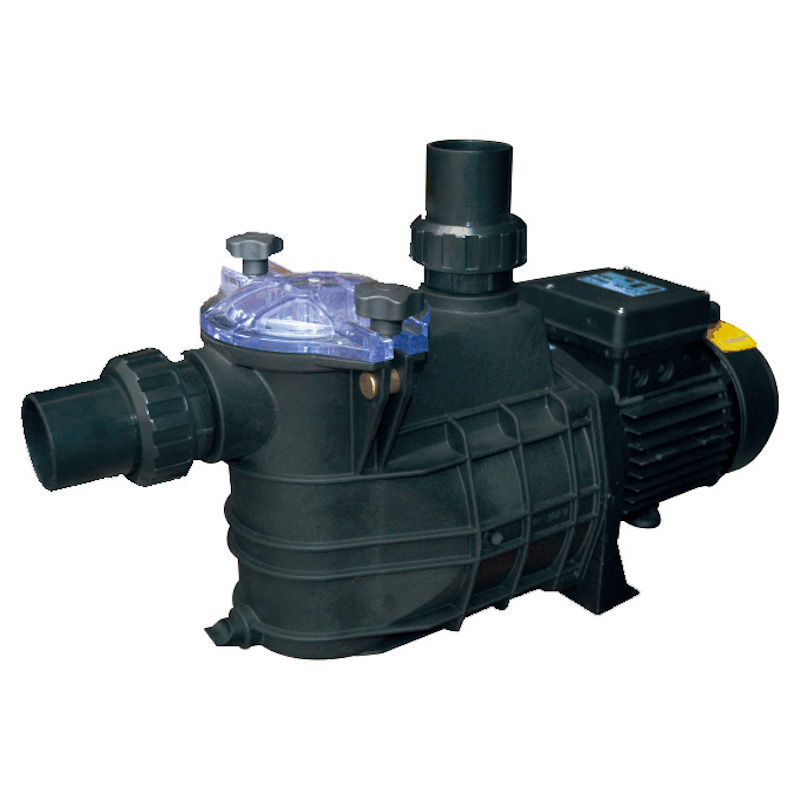
Sometimes, the “reset” your Intex pool pump needs is not electrical but hydraulic. Low flow, high pressure, noisy operation, or lots of bubbles often mean air, debris, or restriction in the system rather than a failed motor.
Air pockets in the hoses or pump housing can prevent proper circulation and may even cause the pump to lose prime.
- Turn the pool pump off.
- Locate the small air release or bleed valve on the filter tank, pump housing, or leaf‑trap pre‑filter (depending on your model).
- Slowly open the valve until you hear air hissing out. Keep it open until water flows steadily, then close it firmly.
- Turn the pool pump back on and watch the return jet; if you still see large bursts of air after a minute or two, repeat the procedure.
A overloaded filter can make the pool pump appear weak or noisy, and a simple cleaning “resets” normal pressure and flow.
For cartridge‑style pool pumps:
- Turn off and unplug the pool pump.
- Close any plunger valves or install wall plugs at the pool connections to prevent draining.
- Open the housing, remove the cartridge, and rinse between the pleats with a garden hose until the water runs clear.
- If the cartridge remains dark, crushed, or has damaged pleats, replace it with a new one.
- Reassemble the housing, open the pool connections, and restart the pool pump.
For sand filter pool pumps:
- Turn off the pool pump and close the plunger valves at the pool connections if installed.
- Depress the 6‑way valve handle and turn it to Backwash.
- Open the waste line and start the pool pump. Run in Backwash until the water in the sight glass or discharge hose runs clear.
- Turn off the pool pump and move the 6‑way valve to Rinse. Run for about a minute to resettle the sand bed.
- Turn off the pump again, then turn the 6‑way valve back to Filter.
- Open all valves, turn the pool pump on, and verify normal pressure on the gauge.
A pool pump cannot self‑reset around a physical blockage. You must remove the restriction so the pump can work correctly.
- Check every hose connected to the pool pump for kinks, sharp bends, or visible collapse under suction.
- Confirm that all plunger valves at the pool wall or near the pump are fully open.
- Remove any suction‑side cleaner or vacuum hose and test the pool pump on the basic pool‑only configuration. If the flow returns, the accessory may be restricting suction.
- Look into the skimmer or strainer basket and clean out leaves, bugs, or toys that could choke the pool pump intake.
A simple diagram of a healthy equipment layout, and a short clip showing how a kinked hose affects the pool pump pressure gauge, can help users understand what to look for.
If the Intex pool pump still refuses to run after you have reset the GFCI, power‑cycled the panel, bled air, and cleaned the filter media, the problem may be deeper. At this point, it is critical to balance the cost of repair against the price of a new pool pump.
Possible advanced issues include:
- Stuck or failed control buttons
The power or timer buttons can wear out or get contaminated with water and chemicals, causing the panel to ignore your commands.
- Corroded or contaminated electronics
On models that integrate a saltwater system, salty mist can slowly corrode the control board or connectors, leading to intermittent or permanent faults.
- Internal wiring or relay failures
The pool pump may have loose, oxidized, or burnt connectors inside the control head, which can prevent the motor from getting power even if the GFCI is reset.
- Motor or impeller failure
A seized motor or jammed impeller can draw high current and repeatedly trip protection devices. Sometimes you may hear only a brief hum before the pool pump shuts down again.
Some experienced users open the control housing (with the pump unplugged) to inspect for obvious corrosion or loose connectors and, in rare cases, gently clean and reseat components. However, this carries risk and may void warranty. For most pool owners, the safest option when a pool pump reaches this stage is to consult a professional or replace the unit entirely.
Once you get your Intex pool pump working again, you can reduce the chances of needing frequent resets by adopting a few preventive practices. Good habits save time, protect the pool pump, and keep water clearer.
Practical prevention tips:
- Mount or position the GFCI plug off the ground and shielded from direct splash and heavy rain, using a proper outdoor cover where allowed.
- Avoid “double GFCI” setups where the pool pump GFCI cord is plugged into a GFCI outlet, which can cause nuisance trips in some situations.
- Size the run time correctly: most above‑ground pools need the pool pump to circulate the entire water volume at least once per day, which often means several hours of run time instead of constant short bursts.
- Backwash or clean the filter regularly according to the manual so the pool pump does not struggle against high pressure.
- During the off‑season, drain water from the pump and filter, disconnect the unit, and store it in a dry, protected place to avoid freeze damage and corrosion.
- Periodically inspect the pool pump cord, plug, and housing for wear, UV cracking, or brittle spots and replace components before they fail.
Resetting an Intex pool pump starts with the basics: ensure safety, reset the GFCI plug, and perform a full power‑cycle on any digital control panel. In many cases, this is enough to bring a quiet or unresponsive pool pump back to life. When water flow issues are involved, “resetting” the system also means bleeding air, cleaning or backwashing the filter media, and removing kinks or blockages that overload the pump. If your pool pump continues to trip protection devices or refuses to run after you complete these steps, the cause is likely internal electrical or mechanical damage, and replacement or professional service is usually the most reliable fix. With a regular maintenance routine and smart installation practices, you can minimize future reset problems and keep your pool pump, pool water, and swimming experience in excellent condition.
Contact us to get more information!
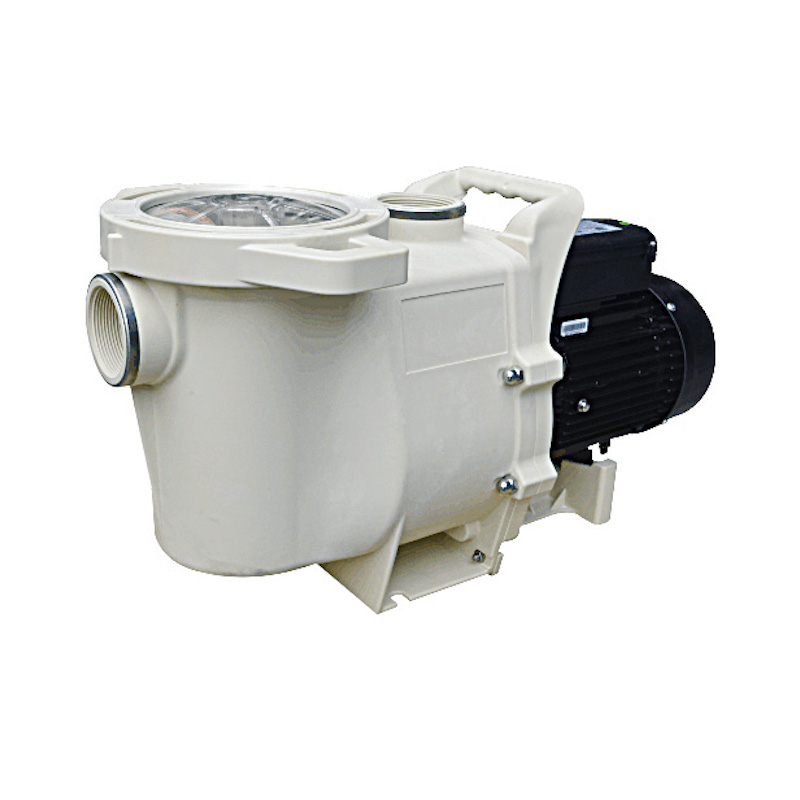
If your pool pump will not turn on, makes no sound, and the small indicator on the plug is off or flashing, the GFCI has probably tripped. In that case, unplug the pool pump, check that the outlet and plug are dry, plug it back in, and press the Reset button firmly until it clicks. Once the indicator light stays on, try turning on the pool pump again and see whether normal circulation returns.
Many Intex sand filter pool pumps only keep timer settings while they have continuous power. When you unplug the pool pump, lose power during a storm, or trip the GFCI, the unit may revert to a default state. After each full power loss, you usually need to select your desired run time again and allow the pump to start its daily cycle from that new reference point.
A humming sound from the pool pump with no visible water movement often points to a mechanical restriction instead of a pure electronic reset problem. Air might be trapped in the pump housing, the impeller may be jammed by debris, or the filter media could be badly clogged. Start by turning off the pool pump, bleeding air at the relief valve, cleaning or backwashing the filter, and checking for obvious obstructions in the basket or hoses before assuming the motor is burned out.
Some pool owners use an external timer to control when their pool pump turns on and off, but you should be cautious. The timer must be outdoor‑rated, capable of handling the pump's electrical load, and compatible with any built‑in GFCI or electronics. Always follow manufacturer warnings, because connecting the pool pump to third‑party timers or automation systems can introduce electrical complications and may affect warranty or support.
You should strongly consider replacing your pool pump if it repeatedly trips a properly working GFCI on dry outlets, shows burn marks or melted plastic, or remains dead and silent even after thorough reset attempts and basic hydraulic checks. When internal electrical parts or the motor windings are damaged, repairs often cost nearly as much as a new pool pump and still may not restore long‑term reliability. In those situations, installing a new, efficient Intex pool pump or compatible sand filter pump is usually the safest and most economical solution.
1. https://www.youtube.com/watch?v=YanyR6veJ8M
2. https://www.youtube.com/watch?v=SXUpM_XzY_A
3. https://intexsupport.com/en/sand-filter-pump-saltwater-system---power-shut-off-timers/a-1001/
4. https://images.thdstatic.com/catalog/pdfImages/d1/d1620f23-e594-46b8-9133-69d95c2a6de9.pdf
5. https://www.reddit.com/r/pools/comments/nij285/intex_sand_pump_control_panel_not_working/
6. https://intexcorp.com/products/above-ground-pools/krystal-clear-filtration-sanitation/sand-filter-pumps/
7. https://www.youtube.com/watch?v=MgLlEqBWm7Q
8. https://www.youtube.com/watch?v=JUxQ49CpEvs
9. https://www.youtube.com/watch?v=ggqIu-GpTwg
10. https://www.youtube.com/watch?v=Q2upo8y5J04
11. https://www.youtube.com/watch?v=j-73yr5aoYo
12. https://heatpumps4pools.com/myfiles/file/intex-krystal-clear-28644-manual.pdf
13. https://www.youtube.com/watch?v=Lq7qNj1PEGs
14. https://intexwetset.co.uk/wp-content/uploads/sites/2/2022/11/QX2100-QX2600-26676-26680-ECO15520-2-ECO20220-2_compressed_compress.pdf
15. https://heatpumps4pools.com/myfiles/file/intex-28646-28648-28652-user-manual.pdf


