
Views: 222 Author: Tina Publish Time: 2025-12-10 Origin: Site


Content Menu
● Safety First Before Any Reset
● Basic Power Reset for Most Hayward Pumps
● Resetting Hayward Variable Speed Pumps (EcoStar, TriStar VS, Super Pump VS)
>> EcoStar VS: Using Stop/Resume and Power Cycle
>> Super Pump VS: Clearing Error Codes
● Resetting XE Series and PowerFlo VS Pumps
>> PowerFlo VS Fault Code Reset
● When a Hayward Pump Will Not Reset
● Resetting a Hayward Pump After Priming or Air Problems
● OEM‑Friendly Tips for Distributors and Brand Owners
● FAQs: How to Reset Hayward Pool Pump
>> 1. Where is the reset button on my Hayward pool pump?
>> 2. Why does my Hayward pump keep showing the same error after reset?
>> 3. Can I reset a Hayward pump that trips the breaker or GFCI?
>> 4. How often should I power‑cycle a Hayward EcoStar or VS pump?
>> 5. Will resetting my Hayward pump erase my programmed schedules?
>> 6. Should OEM buyers include reset instructions with private‑label pumps?
Resetting a Hayward pool pump usually involves safely shutting off power, clearing any error or fault on the control panel, and then restoring power so the pump can restart and re‑prime the system. Different models (single‑speed, XE series, EcoStar, TriStar VS, Super Pump VS, PowerFlo VS) have slightly different reset methods, but all require correct electrical safety and proper priming to avoid damage.[1][2][3]
As a professional Chinese factory manufacturing premium pool sand filters, DE filters, cartridge filters, pumps, LED lights, and accessories with OEM services for global brands, this guide is written both for end users and for overseas distributors who want to reduce after‑sales problems with Hayward‑type pool pumps.
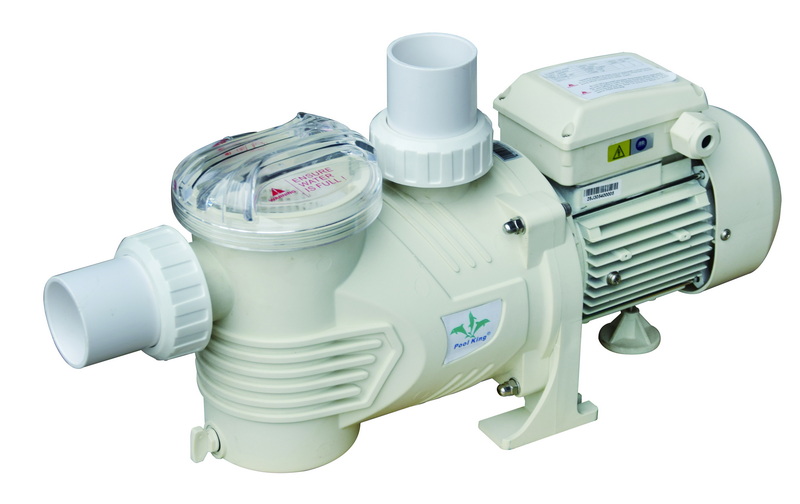
Before touching a Hayward pool pump, treat it as live electrical equipment near water and follow basic safety rules. This protects the user and prevents further damage to the motor or drive:[1]
- Turn off power at the circuit breaker or disconnect switch feeding the pump before opening any covers or touching wiring.[1]
- Never work on a wet pump or with wet hands; make sure the equipment pad is dry and stable.[4]
- Do not change filter valve positions (multiport or push‑pull) while the pump is running, because this can cause pressure surges and damage valves or filters.[1]
- If there is a burning smell, visible damage, or repeated tripping of a GFCI or breaker, stop and call a qualified technician or electrician.[4]
For many Hayward pool pumps, the simplest reset is a power cycle at the breaker. This often clears minor drive faults and restores normal operation:[5][3]
1. Turn off the circuit breaker that supplies the Hayward pool pump.
2. Wait at least 1–2 minutes until the display goes completely blank, which allows the electronics and capacitors to discharge.[3][5]
3. Turn the breaker back on and wait for the pump controller to boot up.
4. If needed, re‑start the pump from the keypad or automation system and check for new error messages.[2]
If the pump was showing an over‑voltage or PFC‑Hi error (common on EcoStar models), Hayward specifically recommends shutting off the breaker for at least 1 minute and then restoring power as a reset method.[5][3]
Variable speed (VS) Hayward pumps use electronic drives and keypads, so many errors can be reset directly from the user interface.[6][2][3]
On Hayward EcoStar pumps, the Stop/Resume key clears many drive errors once the problem has been fixed.[2][3]
- When an error appears on the display, press the “Stop/Resume” button once to clear the error and stop the pump.[2]
- Fix the underlying issue (for example, low voltage, overheating, or blocked impeller) and then press “Stop/Resume” again to restart normal operation.[2]
- If the error persists, shut off the breaker for at least 1–2 minutes, verify the screen is blank, and then restore power so the drive can fully reboot.[3]
Common EcoStar drive error lines like “AC Voltage Too High/Low”, “Drive Overheated”, or “Prime Failed” will usually clear after both the cause and the error code are reset via the button or power cycle.[3][2]
Hayward Super Pump VS models also allow error clearing once the fault has been corrected.[7][6]
- When an error is displayed, correct the wiring, voltage, or mechanical issue specified in the manual.[6]
- Press the RUN/STOP key (or similar button name depending on revision) to clear the error and return the pump to standby or run mode.[7][6]
- If the keypad appears frozen, perform a breaker reset (off for at least 1 minute, then on) and try again.[7][3]
Some modern Hayward XE series and PowerFlo VS pumps have simplified control panels and specific reset behaviors described in their manuals.[8][9]
The XE Pump Series owner's manual describes how the drive and GFCI should be tested and reset.[9][8]
- If a built‑in GFCI trips, power is interrupted and must be restored by pressing the GFCI reset button once, after confirming that the fault is cleared.[8]
- If the motor drive does not start and the status LED flashes, four flashes can indicate a drive start problem; pressing and releasing the push button once attempts to reset the system error.[9]
- Persistent flashing or repeated trips suggest a deeper electrical issue that should be checked by a technician.[9]
With PowerFlo VS, the ERROR light comes on and a numeric code is shown when a fault occurs.[2]
- After fixing the cause (for example, over‑voltage, under‑voltage, motor overload, or rotor lock), use the keypad to clear the error history.[2]
- From standby, press “O” then “SET” within one second to enter error review mode, scroll through codes, and use the down button to delete current or all records.[2]
- Clearing the history does not fix a still‑active fault; if the issue remains, the pump will re‑enter error mode and cannot be “reset” until the underlying problem is solved.[2]
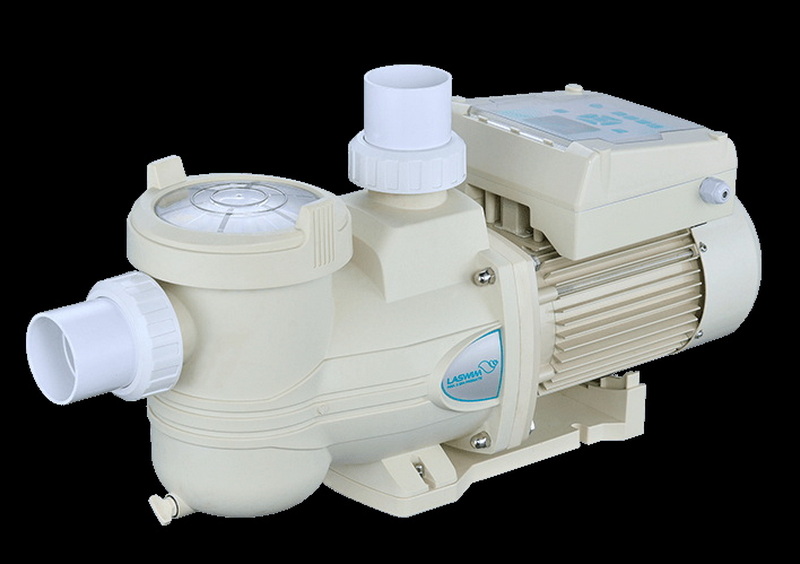
Sometimes, a Hayward pool pump will not restart even after multiple resets and power cycles, especially if there is an internal drive failure or serious electrical fault.[10][4]
Common situations where the pump refuses to reset include:
- Internal drive or memory failure errors on the display, which may require replacing the motor drive assembly or motor end.[10][2]
- Repeated “drive overload” or “motor rotor lock” messages even after cleaning the impeller and checking the shaft for obstructions.[4][2]
- Breaker or GFCI that trips again immediately when the pump is powered, indicating a short circuit or insulation failure.[8][4]
In these cases, continual resetting risks more damage; a professional service visit is recommended to check voltage, insulation resistance, and drive electronics.[10][4]
Sometimes the pump appears to “fail” or shut down simply because it cannot prime properly due to air leaks or low water level.[4][2]
- If you see “Prime Failed” on a Hayward VS display, the pump has detected that it cannot establish full flow within its allowed priming time.[2]
- Check that the skimmer and pump basket are full of water, the pool water level is mid‑skimmer, and the pump lid O‑ring is clean and lubricated.[4]
- Remove debris from the impeller and ensure all valves on the suction and return sides are open.[4]
- After correcting the cause, clear the error with Stop/Resume or a power cycle, then re‑prime the pump and start it again.[3][2]
For OEM buyers, brands, and wholesalers working with Hayward‑compatible systems, consistent reset and troubleshooting information reduces warranty claims and customer frustration.
Practical OEM‑oriented tips include:
- Provide a short printed quick‑start sheet with each pump showing the breaker reset steps, Stop/Resume button use, and priming instructions in simple diagrams.
- Pair high‑efficiency pumps with properly sized sand, DE, or cartridge filters so operating pressures stay in the recommended range, reducing overload and prime failure errors.[4]
- Offer QR codes on the pump label that link to reset and troubleshooting videos hosted on your own brand website or channel.
- Work with a reliable Chinese OEM factory capable of producing matched pumps, sand filters, and accessories under your label, with coordinated manuals and after‑sales documentation.
Resetting a Hayward pool pump is usually a combination of safe power cycling at the breaker, using keypad buttons such as Stop/Resume or RUN/STOP to clear drive errors, and making sure the pump is correctly primed and free of mechanical blockages. When the pump still will not reset, repeated error codes, tripping breakers, or signs of drive failure are a strong signal that a professional technician or warranty service is needed rather than continued DIY attempts.[5][6][10][3][4][2]
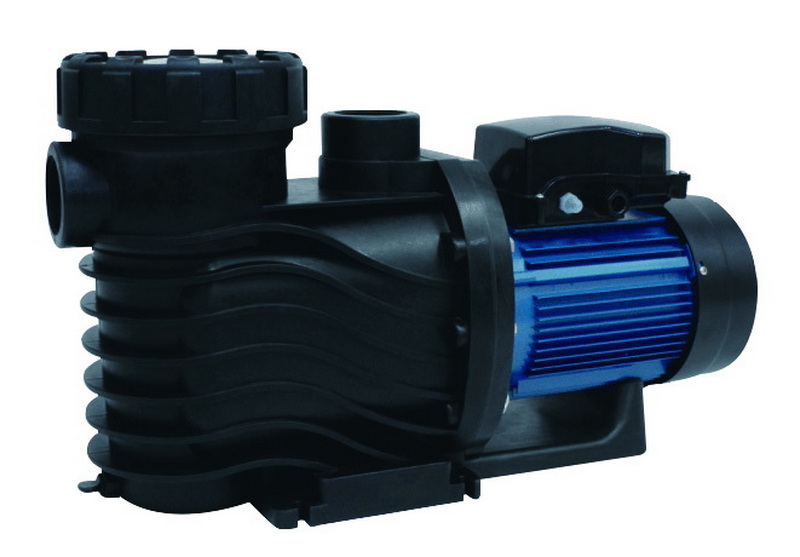
Most Hayward pumps do not have a single “master reset” button; instead, variable speed models use keypad buttons such as Stop/Resume or RUN/STOP, and all pumps can be reset by switching off the circuit breaker for at least 1–2 minutes and then turning it back on. Some XE models also rely on a GFCI reset button if the internal protection has tripped.[6][8][5][9][2]
If an error code reappears after pressing Stop/Resume or cycling power, it means the underlying problem (such as low or high voltage, overheating, blocked impeller, or rotor lock) has not been fully corrected. The pump's electronics are designed to shut down again rather than run under unsafe conditions, so the real cause must be fixed before the code will clear permanently.[4][2]
You can try resetting by turning the breaker or GFCI fully off and back on once, but if it trips again immediately when the pump starts, there may be a short, insulation failure, or internal drive fault. In that situation, further DIY resets are not recommended, and a licensed electrician or pool technician should inspect the pump and wiring.[8][4]
Hayward documentation notes that EcoStar pumps should be powered down for at least 1 minute every 24 hours, and some automation setups wire them through the filter relay to guarantee this daily reset. Occasional power cycling helps the drive complete self‑checks, but frequent unexpected shutdowns or resets usually indicate electrical supply or drive issues that need attention.[5][3][4]
A normal power cycle at the breaker or clearing an error with Stop/Resume or RUN/STOP generally does not erase stored speed settings or schedules on Hayward VS pumps. However, deep configuration resets or drive replacements may require re‑programming timers and speeds, so it is wise to note your preferred settings before major service.[6][7][2]
Yes, concise reset and priming instructions in user‑friendly language reduce after‑sales complaints and make your brand look more professional, especially when selling through international distributors and online channels. Many successful OEM brands combine printed quick guides, QR‑linked videos, and local‑language manuals for Hayward‑compatible pump and sand filter systems.
[1](https://hayward.com/media/akeneo_connector/asset_files/I/S/IS3200_RevM_110d.pdf)
[2](https://lesliespool.com/blog/how-to-troubleshoot-hayward-variable-speed-pumps.html)
[3](https://hayward.com/media/wysiwyg/pdf/pumps/EcoStar_TSG.pdf)
[4](https://intheswim.com/blog/hayward-pool-pump-troubleshooting.html)
[5](https://www.totallyhayward.com/techservices/attachments/Technical%20Service%20Bulletin%20PFC%20Hi%20error%20code.pdf)
[6](https://www.royalswimmingpools.com/SuperPumpVS.pdf)
[7](https://images.thdstatic.com/catalog/pdfImages/3d/3db6f461-662e-493b-8199-cab69c0ee25a.pdf)
[8](https://hayward.com/media/akeneo_connector/asset_files/I/S/IS3200XE_REV_B_8d8c.pdf)
[9](https://hayward.com/media/wysiwyg/pdf/pumps/XE-Pumps_TTG.pdf)
[10](https://www.reddit.com/r/pools/comments/1cv3lf7/hayward_error_code/)
[11](https://www.youtube.com/watch?v=miBvpI32Tyk)
[12](https://www.youtube.com/watch?v=mfx0wk5iJ-4)
[13](https://www.facebook.com/groups/637529959937311/posts/2011458349211125/)
[14](https://www.youtube.com/watch?v=T3boRj48qbk)
[15](https://www.facebook.com/groups/273395260599363/posts/1277161350222744/)
[16](https://www.reddit.com/r/swimmingpools/comments/y18rg7/hayward_pump_control_issue_can_it_be_reset/)
[17](https://forum.arduino.cc/t/pool-pump-reset/603680)
[18](https://www.youtube.com/watch?v=BH5z9N1nk7M)
[19](https://www.facebook.com/groups/637529959937311/posts/2248740972149527/)


