
Views: 222 Author: Tina Publish Time: 2026-01-04 Origin: Site


Content Menu
● Understanding your Hayward pump
● Getting familiar with the controls
● Step 2: Understand speeds and intervals
● Step 3: Program speeds (RPM)
● Step 4: Program daily timers
● Example schedule for daily use
● Step 5: Using manual and “quick clean” modes
● Step 6: Testing and confirming the schedule
● Step 7: Adjusting for seasons and energy rates
● Troubleshooting common programming issues
● Related questions and answers
>> 1. How long should a Hayward pool pump run each day?
>> 2. What speed should I program on my Hayward variable speed pump?
>> 3. Why is my Hayward pump not following the programmed schedule?
>> 4. Can I use an external timer with a Hayward variable speed pump?
>> 5. How do I reset my Hayward pump schedule to start over?
>> 6. Does programming differ between Hayward Super Pump VS and TriStar VS?
Programming a Hayward pool pump is mostly about setting the correct current time, then creating a daily schedule of speeds and run times that match your pool's filtration and energy‑saving needs. Once the clock and timers are configured correctly, the pump can run automatically every day with minimal manual intervention.[1][2][3]
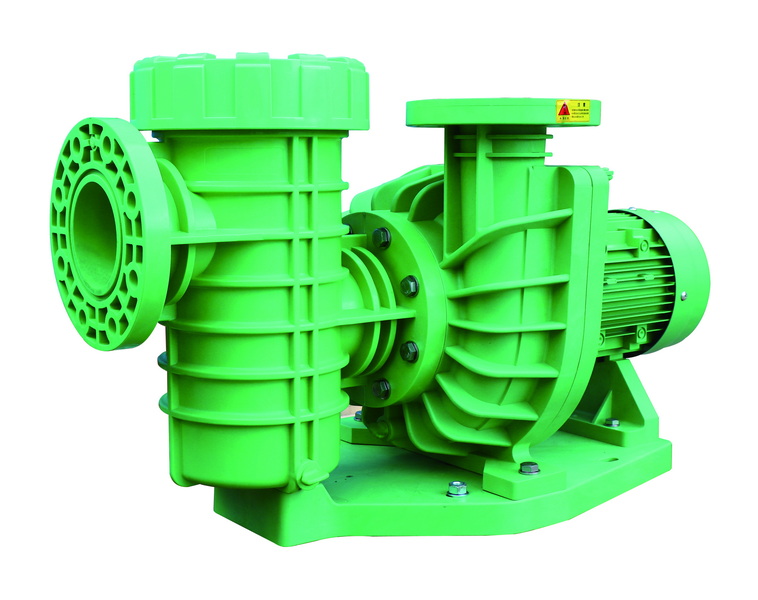
Different Hayward models (Super Pump VS, TriStar VS, XE series, etc.) have slightly different buttons and menu layouts, but the basic logic of “set clock → configure speeds → program timers” is similar on all of them. Variable speed units allow several preset RPM levels and multiple daily intervals, while simpler XE models use a single button and LED ring to cycle through stored speeds.[2][3][4][1]
Before touching any programming menus, the pump should be installed per the Hayward owner's manual with correct voltage, bonding/grounding, and plumbing, and the equipment area must be dry and accessible. Users should never open wiring compartments or modify internal components; all electrical work must be left to a licensed professional to protect both safety and warranty coverage.[4][6][3]
Most Hayward VS pumps use a keypad with a small display plus navigation, plus/minus, menu, and start/stop buttons, while XE pumps use a single multifunction button surrounded by an LED ring that changes flash patterns in programming mode. On Super Pump VS and TriStar VS keypads, two side arrows are often used to unlock the configuration menu before any time or timer changes are allowed.[7][8][2][3]
Programming always starts by setting the current time and day so that timers run at the correct hours for filtration and off‑peak electricity windows. On keypad models, users typically press “Menu,” unlock the configuration menu, choose “Time/Date,” and then use plus/minus keys to adjust hours, minutes, and weekday before pressing an arrow or “Enter” key to save.[8][6][7]
Hayward variable speed pumps let you define multiple speeds (usually expressed in RPM) that can be scheduled as separate intervals throughout the day. On XE series models, the single button cycles through several fixed speeds plus a “stop” setting, and each programmed speed is tied to a fixed‑length interval (for example, four hours for interval 1 and eight hours for interval 2).[7][2][3]
On Super Pump VS and TriStar VS, the configuration or speeds menu lets users define RPM values—often with a minimum and maximum limit such as 1,200 RPM minimum and 3,450 RPM maximum—to match the pool's hydraulic requirements. Many installers set a low filtration speed around 1,500–2,000 RPM and reserve higher speeds near 3,000+ RPM for tasks like spa jets, waterfalls, or vacuuming.[9][4][7]
- Present a photo of the speed configuration screen with sample RPM values and a short clip of an installer scrolling through RPM levels and saving a new low‑speed preset.[7]
- Include a small infographic image showing typical use cases: low for filtration, medium for skimming/solar, and high for cleaning or spa, each tied to a pictogram of that piece of equipment.[9]
To build a daily schedule, users usually open the “Timers” or “Schedule” menu and then set a start time, stop time, and associated speed (or preset) for each timer slot. For example, one schedule might run high speed for an hour in the morning for skimming, then low speed for the rest of the day for filtration, with timer priorities determining which speed overrides others when they overlap.[10][11][1][7]
A common approach is to schedule a long, low‑speed run for base filtration and short, higher‑speed blocks for skimming, heating, or salt‑system activation. Many users with variable speed Hayward pumps set a morning high‑speed block (around 3,000+ RPM) and then run a medium or low speed the rest of the daylight hours to complete the required turnover while saving energy.[1][9]
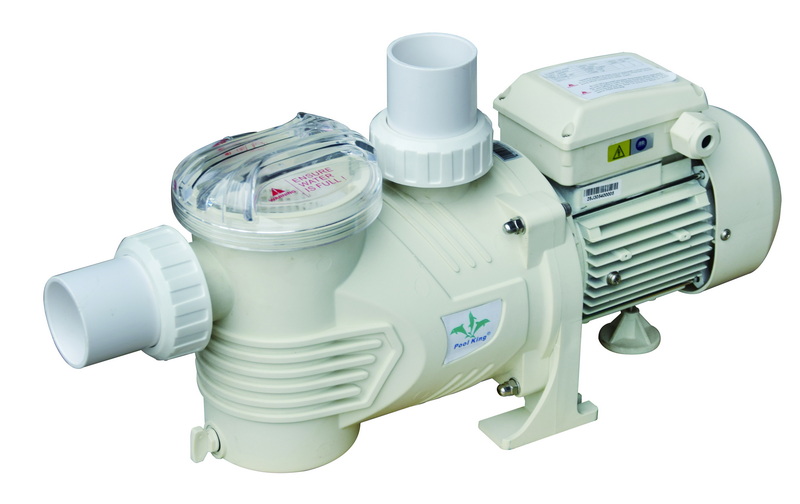
Beyond scheduled operation, Hayward VS pumps typically allow manual speed selection through labeled speed buttons or presets, which are useful for spot cleaning or quick testing. Some models also offer a “quick clean” or temporary high‑speed function that runs at maximum RPM for a fixed time (such as 60–180 minutes) and can be extended with repeated button presses.[4][10][7]
After programming, users should monitor the pump through at least one full day to ensure each timer turns the pump on, changes speeds, and shuts off at the expected times. It is also important to verify that connected equipment—such as heaters or chlorinators—receives the required flow at scheduled speeds, and to tweak RPM values if flow or pressure is marginal.[3][1][2][7]
Schedules often need adjustment for seasonal changes, heavier bather loads, and different electricity price tiers, especially where utilities offer cheaper off‑peak hours. Owners may choose longer run times and slightly higher RPM during hot summer months, then cut back to shorter, lower‑speed runs when water temperature and use decline.[1][9]
If timers do not run as expected, the most frequent causes are incorrect clock settings, overlapping timers with unexpected priority, or accidental changes to minimum/maximum allowed RPM limits in the configuration menu. Some users also mistakenly rely on external mechanical timers that cut power to the pump, which can disrupt internal schedules and lead to confusing behavior.[13][10][7]
If programming changes do not resolve issues like tripping breakers, error codes, or repeated failed starts, the problem may lie in wiring, supply voltage, or an internal component, which must be handled by a qualified service technician. Professional installers can also optimize RPM and schedule combinations for specific filters, heaters, and water features to ensure correct flow and protect warranties.[14][6][3]
Programming a Hayward pool pump is a structured process: set the clock, define safe and efficient speeds, then build timers that match your pool's daily needs and local energy conditions. Once you validate the schedule and adjust it seasonally, the pump can deliver clear water, quieter operation, and lower power bills while running largely on autopilot.[1][9][7]
Most residential pools achieve good filtration with 8–12 total run hours per day, but the exact time depends on pool volume, filter size, pump speed, climate, and bather load. With a variable speed Hayward pump, owners often run low RPM for long periods rather than short, high‑speed bursts to save energy while still meeting turnover targets.[1][9]
A common starting point for filtration is a low‑to‑medium speed around 1,500–2,000 RPM, then higher speeds above 3,000 RPM for skimming, vacuuming, or running spa jets and water features. The ideal RPM must still satisfy equipment minimum flow requirements, so users may need to adjust upward if heaters or chlorinators report low‑flow conditions.[14][9][1][7]
If the pump is not starting or changing speeds at the right times, the most likely issues are an incorrect clock setting, overlapping timers, or an external timer cutting power and resetting the schedule. Checking that the display time is correct, disabling unnecessary timers, and supplying constant power directly to the pump usually restores consistent scheduled operation.[10][7]
External mechanical or digital timers that interrupt power are generally discouraged with modern Hayward VS pumps because they interfere with on‑board schedule logic and priming cycles. Best practice is to feed constant power to the pump and use only the built‑in programming features, unless a qualified installer designs and wires a compatible automation system.[13][3][10]
On many Hayward models, users can open the timer menu and either disable individual timers or clear them, then re‑enter new start/stop times and speeds as desired. If changes still do not behave correctly, a full configuration reset described in the owner's manual may be needed, followed by complete reprogramming of time, speeds, and timers.[4][6][10][7]
While the layout of buttons and menu names can vary slightly, both Super Pump VS and TriStar VS follow the same general process of unlocking the menu, setting time, defining speeds, and creating timers. Owners should still download and follow the exact manual for their specific model to match labels, display icons, and safety instructions.[11][4][14][1]
[1](https://www.inyopools.com/HowToPage/how-to-program-a-variable-speed-hayward-tristar-pump.aspx?CommentPage=1)
[2](https://www.youtube.com/watch?v=V22ONWo5_Ic)
[3](https://hayward.com/media/akeneo_connector/asset_files/I/S/IS3200XE_REV_B_8d8c.pdf)
[4](https://www.royalswimmingpools.com/SuperPumpVS.pdf)
[5](https://www.youtube.com/watch?v=8B1Ss4YKKOY)
[6](https://images.thdstatic.com/catalog/pdfImages/3d/3db6f461-662e-493b-8199-cab69c0ee25a.pdf)
[7](https://www.youtube.com/watch?v=lWVO9pj8m0Y)
[8](https://www.youtube.com/watch?v=qjOCPzrbhJw)
[9](https://www.reddit.com/r/pools/comments/1cliau9/variable_speed_pump_schedule/)
[10](https://www.youtube.com/watch?v=mfx0wk5iJ-4)
[11](https://www.inyopools.com/HowToPage/how-to-program-a-variable-speed-hayward-super-pump.aspx?CommentPage=1)
[12](https://www.youtube.com/watch?v=EcJTpV3aNdw)
[13](https://www.facebook.com/groups/637529959937311/posts/2583790201977934/)
[14](https://hayward.com/media/akeneo_connector/asset_files/T/r/TriStar_VS_Technical_Guide_2ba8.pdf)
[15](https://hayward.com/media/akeneo_connector/asset_files/Q/R/QRG2603VSP_RevD_9ad7.pdf)
[16](https://hayward.com/media/wysiwyg/pdf/pumps/XE-Pumps_TTG.pdf)
[17](https://www.youtube.com/playlist?list=PLKRVpvrQmmnLLJn5nIZtLQ9REYUzLq7MK)
[18](https://www.youtube.com/live/mfx0wk5iJ-4)


